
App of the WŬMÙ portal
Your city's events, classifieds and jobs — on your phone
WUMU City is the free app of the WŬMÙ city portal for iPhone, iPad and Android. The same posts as on the website: browse without signing in, post your own and message the authors.


Free · iPhone, iPad and Android · 34 languages
Point your phone's camera to install
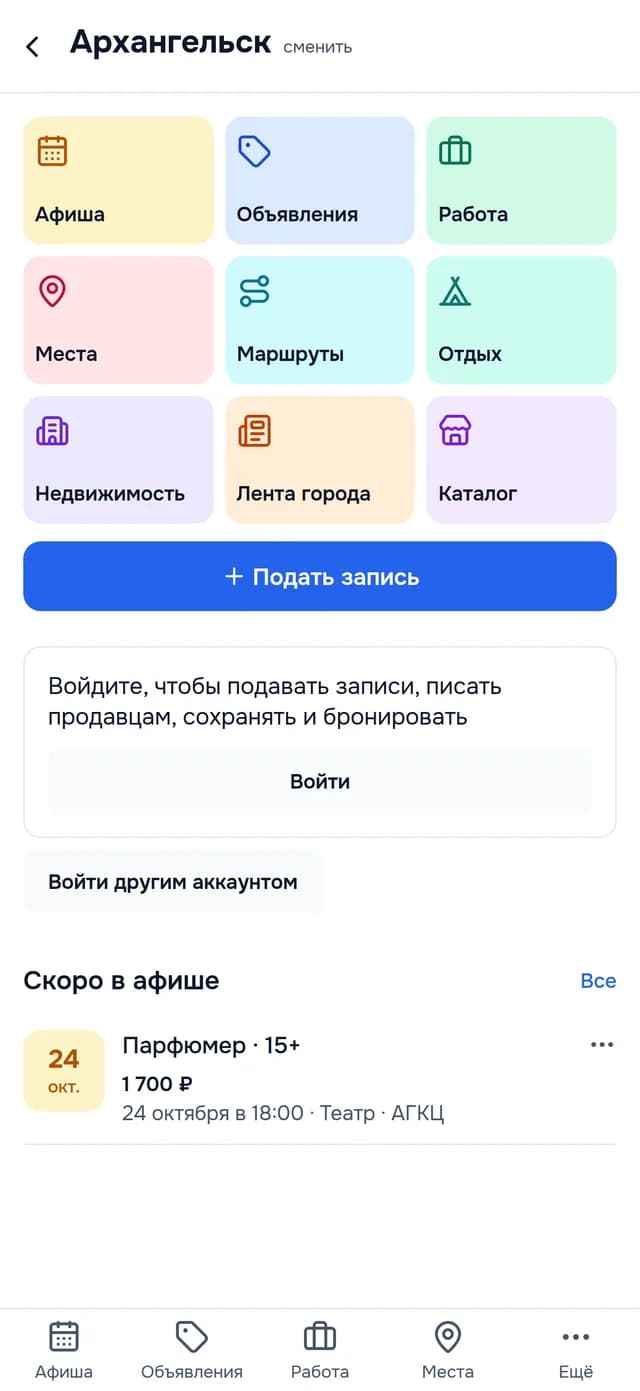
Nine sections of your city
The same sections as on the website, in the same colours as in the app.
Events
Concerts, exhibitions, classes and meetups, by date.
Classifieds
Buy, sell or give away, with filters by category and price.
Jobs
Vacancies with the salary as the employer stated it.
Places
Where to go — with the address and on the map.
Routes
Walks and routes in and around the city.
Getaways
Tours and places to stay nearby.
Real estate
New buildings, homes for sale and for rent.
City feed
News and posts from your neighbours.
Catalogue
Local businesses with addresses and opening hours.
Take part, not just read
You can browse the city without signing in. With a WŬMÙ account — via Apple, Google or email — the city becomes yours.
Post something
A listing, a job, an event or a place — with photos, right from your phone.
Message the author
Chat with the author of any post, right in the app.
“I'm going” and calendar
Mark an event and add it to your calendar — the app will remind you.
Subscriptions
To a category, a filter or a seller — new posts arrive as notifications.

Find it fast
The whole city in one search — and places on the map, too.
Search the whole city
One query, results from every section at once.
List or map
Places, routes, getaways and businesses on the map.
Filters
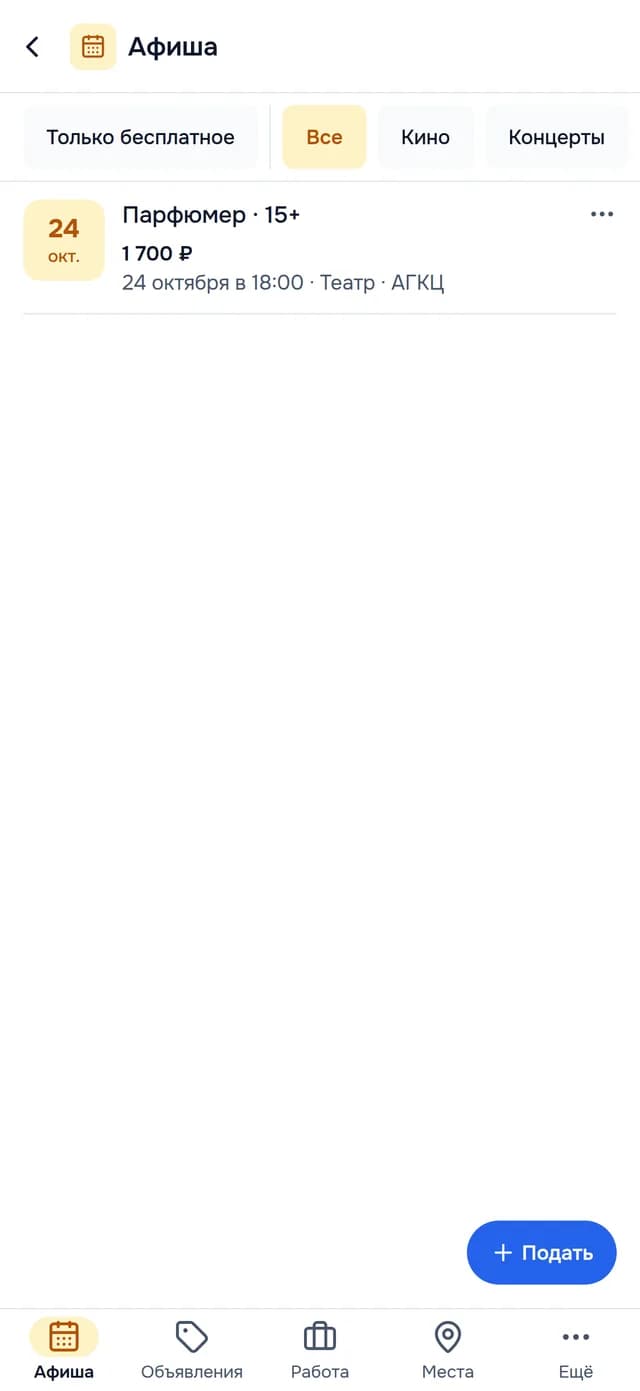
Events by type and “Free only”, classifieds by category and price.
Safe by design
Rules with zero tolerance for abuse and fraud — shown before the first screen.
Report
Every post and every conversation has “⋯” → “Report”.
Hide author
Their posts disappear from everything you see, right away.
Block
The person can no longer message you — in the app or on the website.
24 hours
Moderators review every report within that time.
In your language
34 languages
Dates, numbers and prices follow the rules of your language.
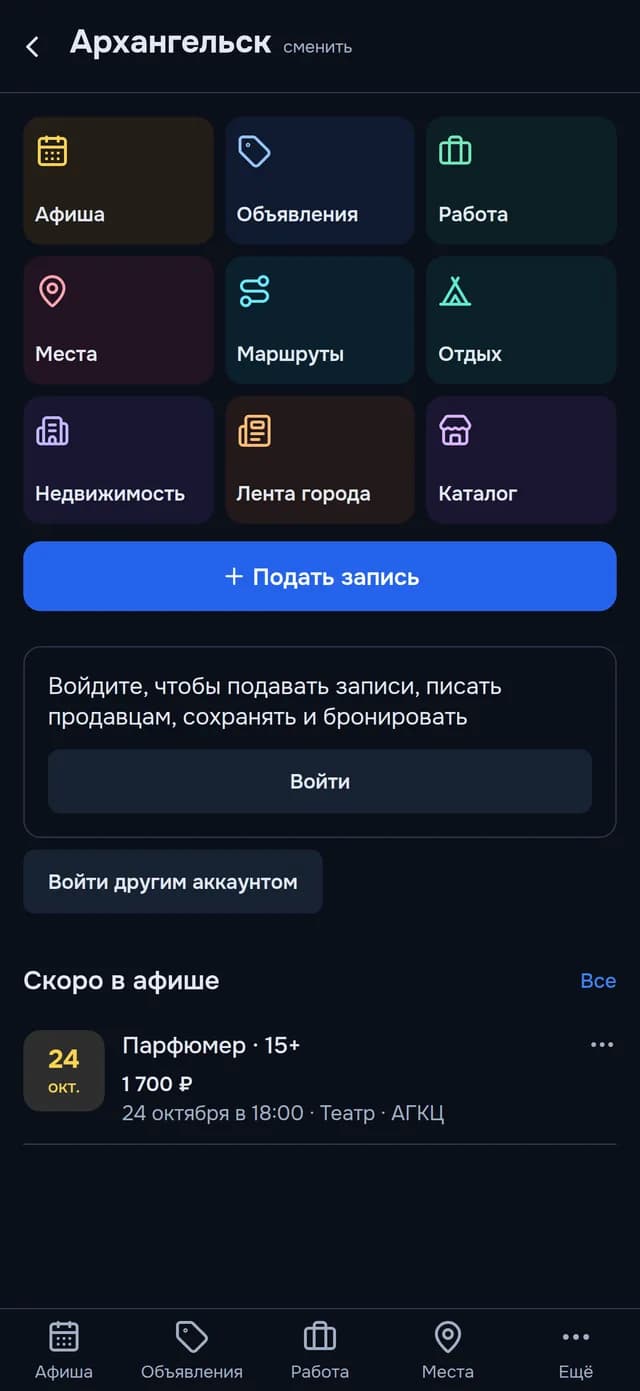
Light and dark themes
As your phone is set.
Links open in the app
City pages on wumu.ru and wumu.ai open straight in WUMU City.
Questions about WUMU City
How much does WUMU City cost?
WUMU City is free: the app has no in-app purchases and no ads.
Which cities does WUMU City cover?
WUMU City works in every city of the WŬMÙ portal. What you see depends on how many residents and businesses already post; an empty section invites you to post the first one.
Do I need an account to use WUMU City?
You can browse the city in WUMU City without signing in. To post, message authors and save posts, you need a WŬMÙ account — sign in with Apple, Google or email.
Is WUMU City the same as the WŬMÙ website?
Yes: WUMU City shows the same posts as the website of the WŬMÙ city portal. You can post either on the website or in the app.
How do I post a listing or an event in WUMU City?
On the city home screen in WUMU City, tap “Post something” and pick a section. Posts from new authors and disputed posts are checked by a moderator first.
Why does WUMU City have two websites, wumu.ru and wumu.ai?
wumu.ru and wumu.ai are the two websites of the WŬMÙ portal: one for Russia and the CIS, one for the rest of the world. WUMU City signs in on the website of the city you choose.
What data does WUMU City collect?
WUMU City collects crash reports without personal data and anonymous usage statistics, which you can turn off in your profile. The app has no ads and does not track you.
Privacy policyHow do I delete my WUMU City account?
You can delete your account in WUMU City (“Profile” → “Delete account”) or on the WŬMÙ website — even without signing in.
How to delete your accountGet WUMU City
Free for iPhone, iPad and Android.
Help and support
How to contact us, sign in, report a post and delete your account.
Contact support
Write to us — we reply within one business day. Tell us which phone you use and what went wrong.
Signing in
You can browse your city without signing in. Sign in to publish posts, message authors, save favorites and make bookings.
- Open the app and choose your city. The city determines which website your account is on: wumu.ru or wumu.ai.
- Tap “Sign in”. On iPhone and iPad you get a choice: the system Apple button — you sign in in Apple's own window — or “Other ways to sign in”.
- “Other ways to sign in” and signing in on Android open the sign-in page of our website in your phone's browser: sign in with email and password, Google or Apple, and allow the app to access your account — you'll be back in the app, already signed in. The app never sees your password.
No account yet? Sign up on the website first, then sign in to the app.
Reports and hiding authors
To report a post, tap “⋯” on its page or in the list, choose “Report” and a reason. Moderators review every report within 24 hours.
From the same menu you can hide an author: their posts disappear from the city sections — only for you. You can bring an author back under “Hidden authors” on the city home screen.
In a conversation, tap “⋯” at the top of the screen to report the other person or block them. Messages from a blocked person won't reach you — in the app or on the website.
Deleting your account
- In the app: on the city home screen, open “Profile” and tap “Delete account” — the account deletion page of the website opens.
On the website: open the account deletion page. You don't need to sign in — we'll send a confirmation link to your account email.
Open the account deletion page
Your account and its data are deleted 30 days after the request. Signing in during those 30 days cancels the deletion. Data that the law requires us to keep is stored only for the period the law sets.