Upload your documents —
then talk to them
AI Notebook answers only from your sources — with precise citations you can click to see the exact passage. Research papers, meeting notes, contracts, videos — one knowledge base for all of it.
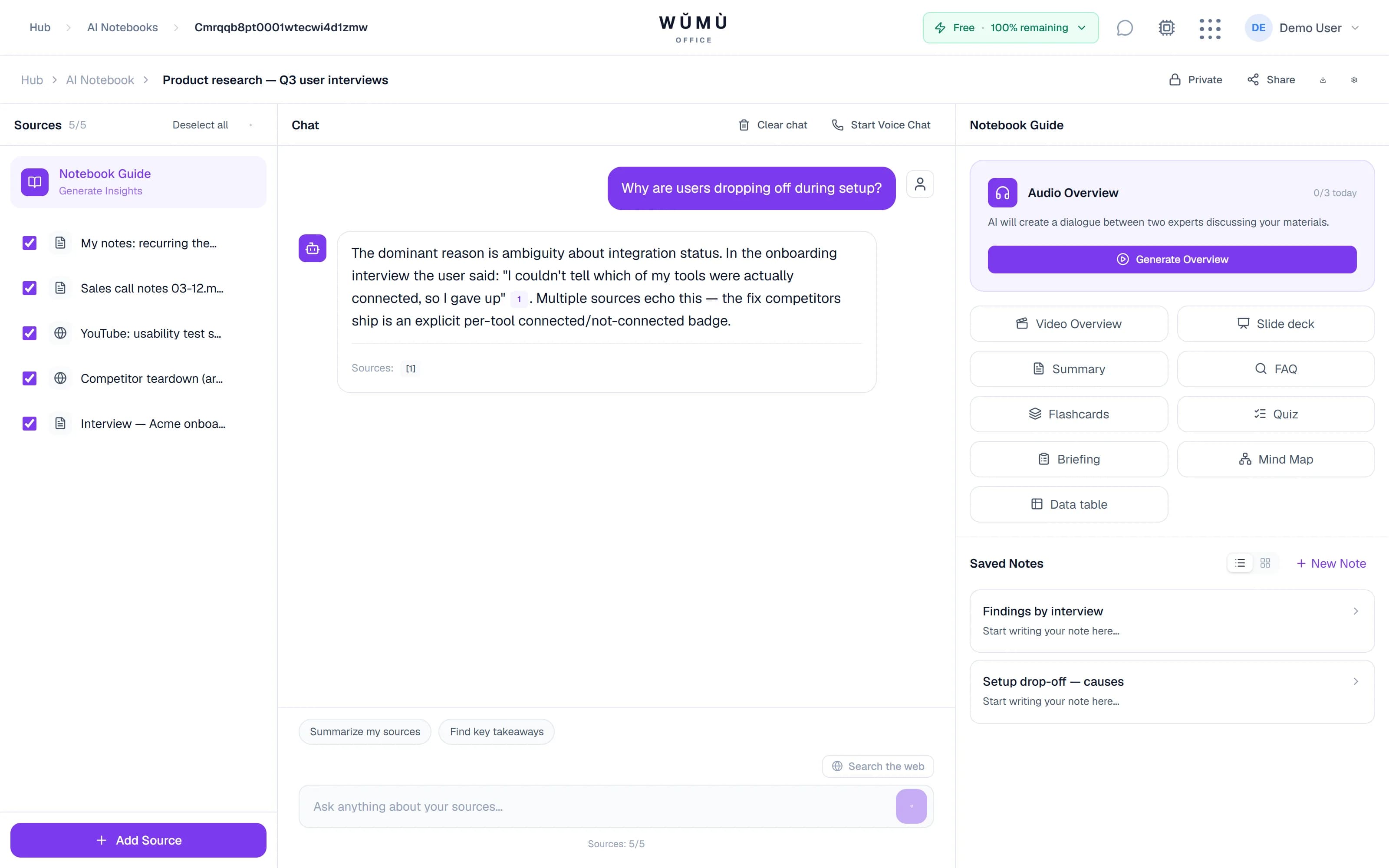
Bring knowledge in from anywhere
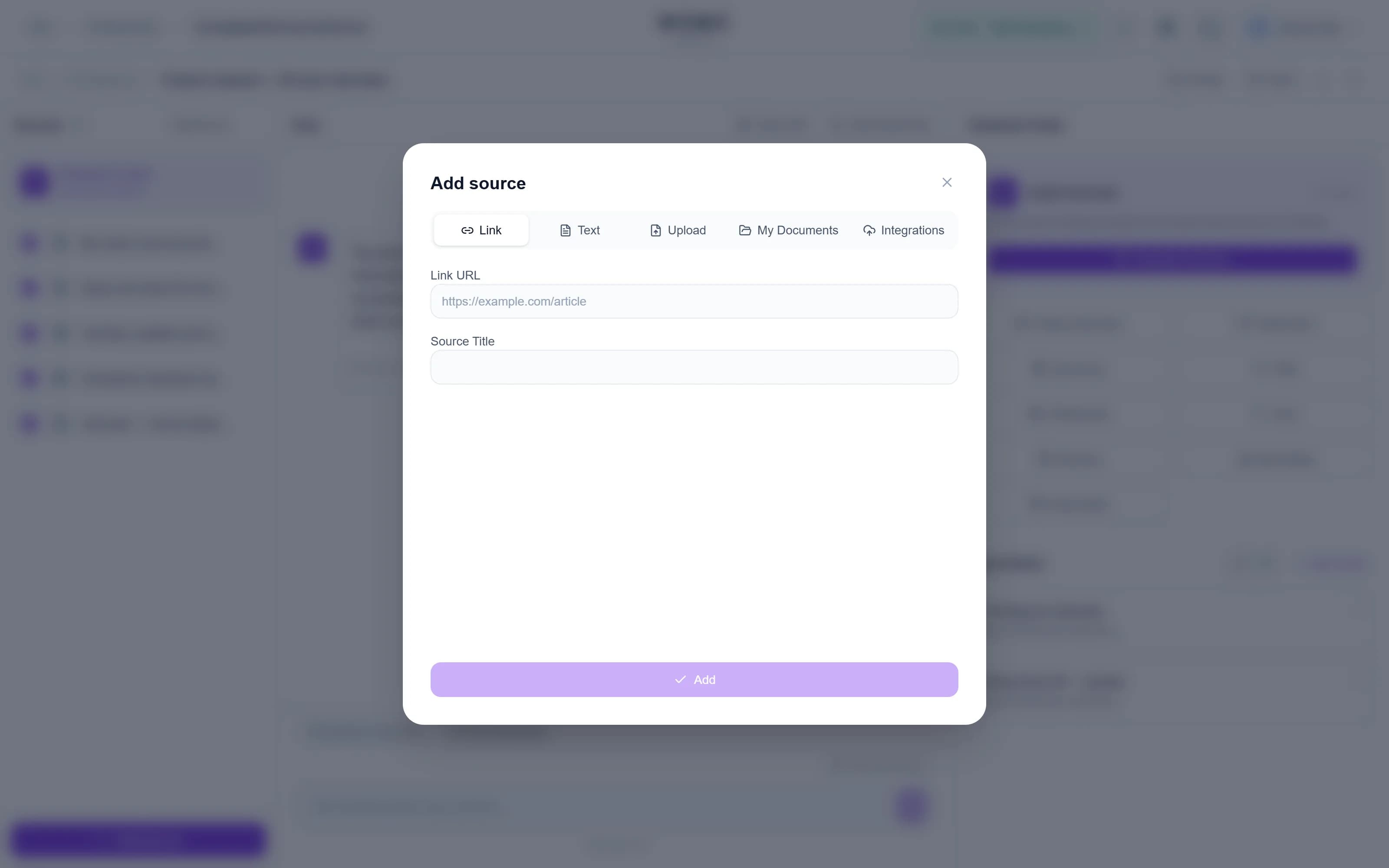
PDFs and scans, links and YouTube, recordings and spreadsheets — the notebook turns them all into one base you can query.
Documents
PDF, DOCX, TXT, Markdown, EPUB — entire books and manuals.
Web links
Paste a URL — the page is fetched into your knowledge base.
YouTube
Add a video by link — the notebook works with its transcript.
Audio
Meeting and lecture recordings are transcribed automatically.
Images & scans
Text recognition (OCR) for photos and scanned documents.
Spreadsheets & slides
CSV, XLSX and PPTX are parsed with their structure preserved.
Connect your workspaces — pages and files stay in sync automatically: edit a doc in Notion and the notebook already answers from the new version.
Answers grounded in your sources only
No made-up facts: every claim in an answer is backed by a citation from your own documents.
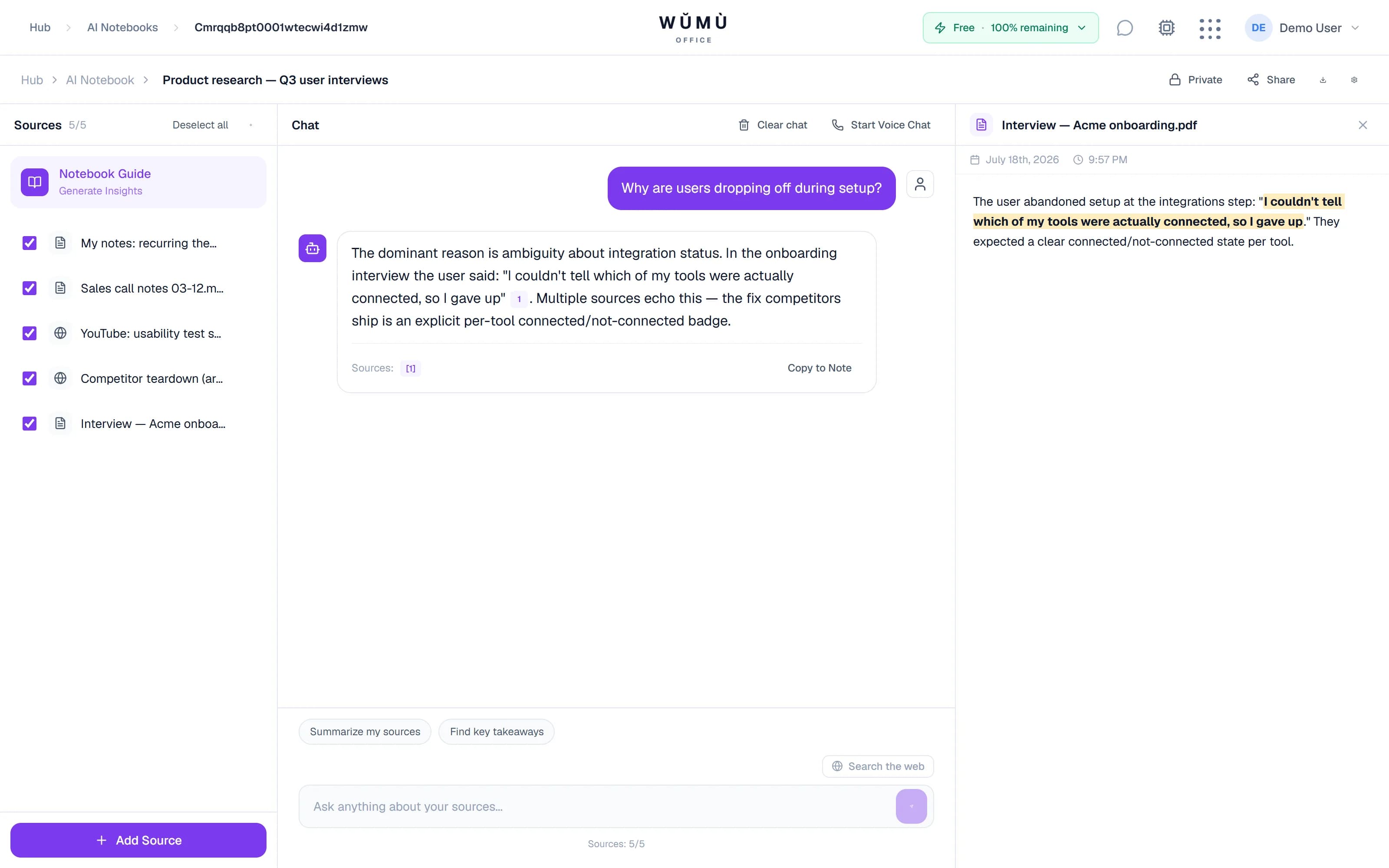
Clickable citations
Every statement links to its source. Click — and the exact passage is highlighted in the document.
Memory and notebook goals
Chat history is saved. Give the notebook a goal — “explain like I'm new to this” or “answer like a lawyer” — and it keeps that voice.
Web search, opt-in
By default it's your documents only. On Pro and Business you can let answers pull in fresh web data — web facts are labeled separately.
Real math over tables
Sums, averages and summaries over CSV and spreadsheets run as executable Python — not guesswork.
An audio podcast from your materials
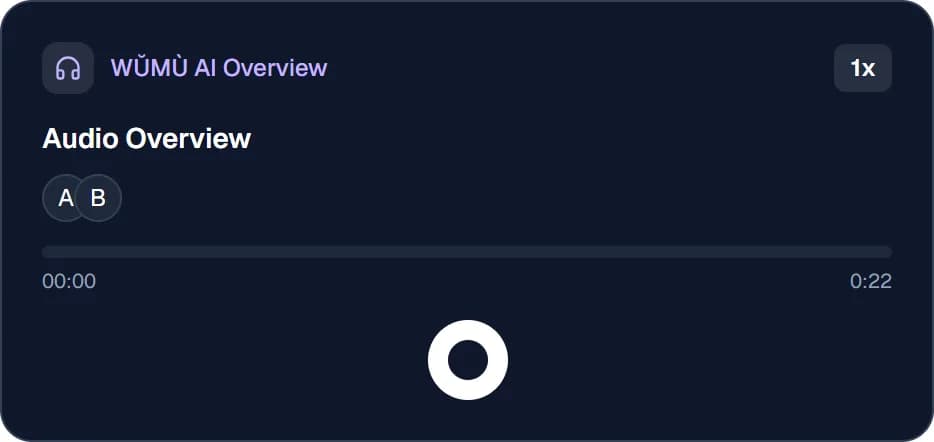
Two AI hosts discuss your documents — listen to your knowledge base on the go.
One click turns your sources into a lively two-host conversation: the key ideas, the nuances, and how the documents connect.
- Two-host dialogue — a discussion with questions and emphasis, not a monotone read-out
- Synced transcript — the text highlights as it plays; jump around by phrase
- Background generation — start it and keep working — the podcast builds itself
Video overviews and slide decks
From the same sources — a narrated slide video or a ready-to-edit deck.
Video overview (mp4)
Script, slides and narration are assembled automatically — a ready clip for your team or your studies.
PowerPoint export
A structured deck built from your materials — download the PPTX and make it yours.
Study materials in one click
Turn lectures and papers into knowledge maps, flashcards and quizzes.
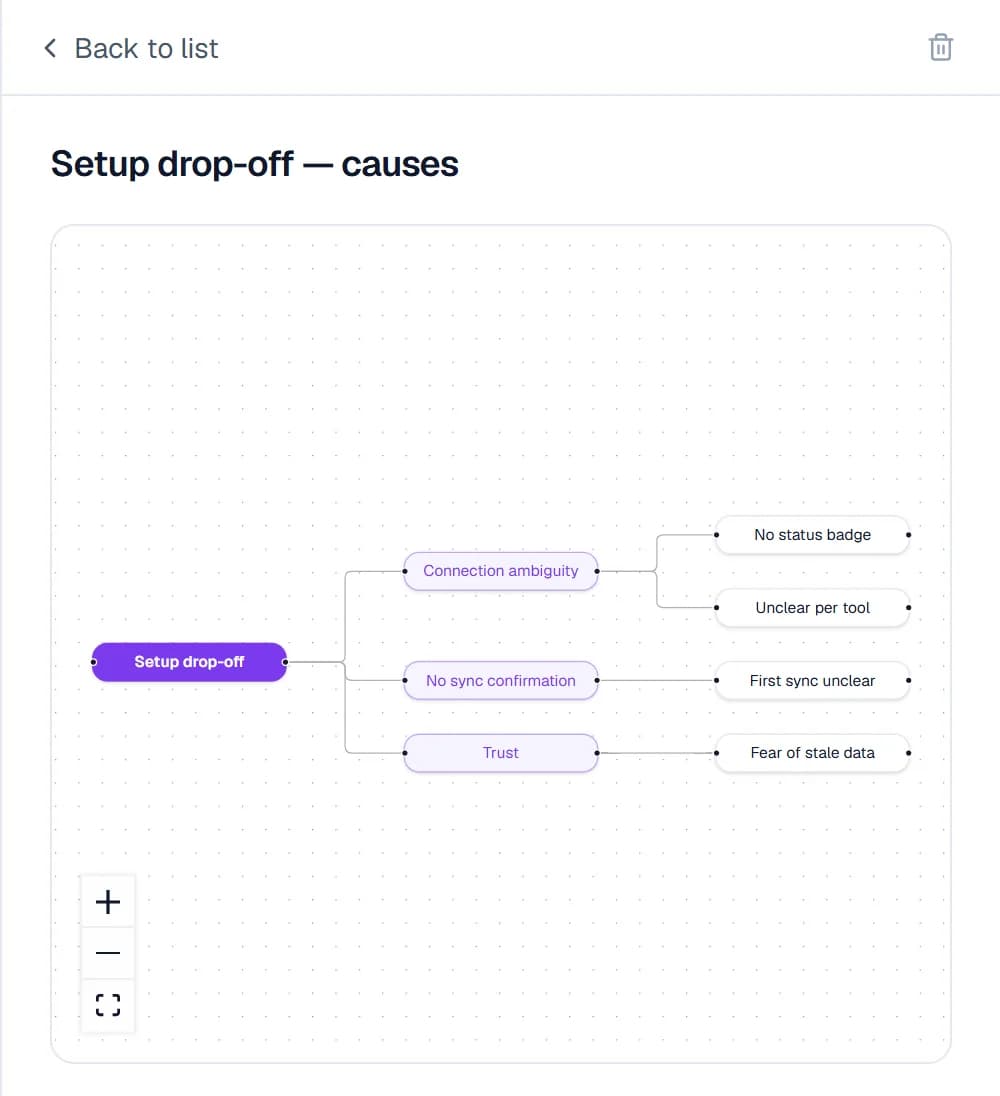
Mind map
An interactive map of topics and connections across all sources — see the whole subject at once.
Flashcards & quizzes
Memorization cards and multiple-choice tests — generated from your own materials.
Briefings, FAQs & guides
An executive summary, a frequently-asked-questions list or a study guide — one button each.
Notes canvas
Save answer snippets as notes, combine them, and draft a new document from the best parts.
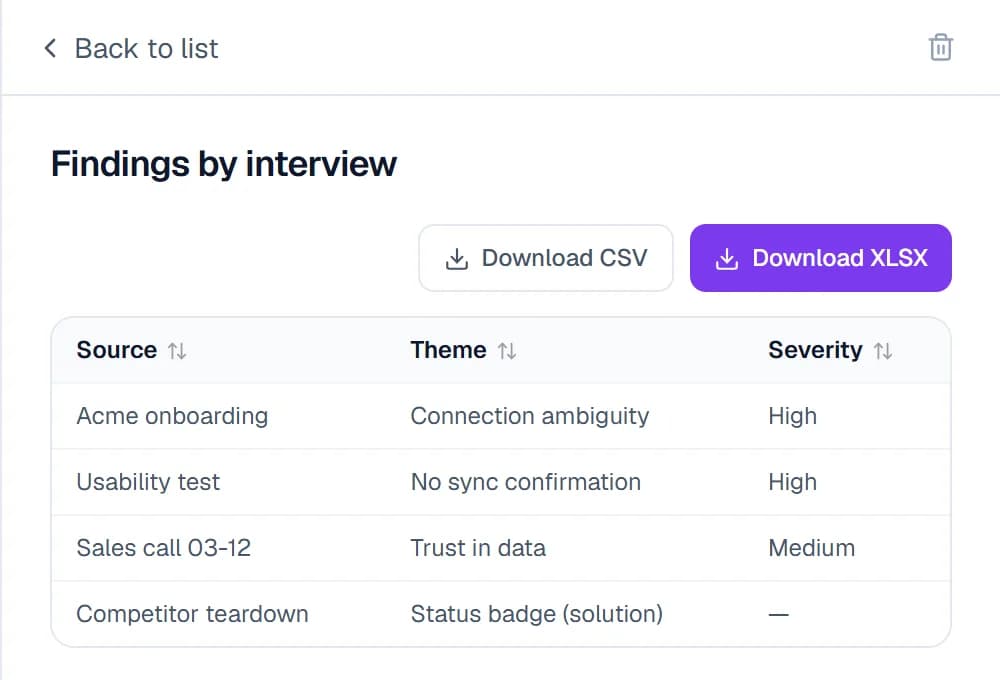
Data tables out of plain text
Facts scattered across documents — collected into one structured table.
Describe the columns you need and the notebook walks your sources to fill them: terms from contracts, findings from papers, specs from reports. Download the result as CSV or XLSX.
A knowledge base for the whole team
Keep notebooks personal — or share them with your workspace.
Team sharing
Share a notebook read-only — colleagues ask questions without touching the sources.
Federated search
One question across every notebook you can access — each answer says which notebook it came from.
Access isolation
Everyone sees only their own and explicitly shared notebooks — workspaces are strictly separated.
An API and integrations the alternatives don't have
Your knowledge base isn't locked in a browser tab: wire it into your own tools and AI agents.
Public REST API
Query your knowledge base from scripts and services: questions, schema-based data extraction, cache control.
MCP for AI agents
Connect the notebook to Claude, Cursor or Copilot — your agent answers grounded in your knowledge base.
Real-time voice
Talk to your notebook out loud — it answers in real time, grounded in your documents.
An open API and an MCP server — the things Google NotebookLM doesn't offer.
Frequently asked questions
The essentials of how AI Notebook works.
Build your knowledge base in minutes
Upload your first documents for free — and get cited answers today.
Create an AI NotebookAI answers are generated from the sources you upload and may contain inaccuracies — verify important information against the cited passages.