Free spreadsheet editor
with an AI assistant
Formulas, pivot tables and charts — right in the browser and free. Import your Excel files, work together in real time, and hand the routine to the AI: it reads your data and makes the edits in the sheet itself.
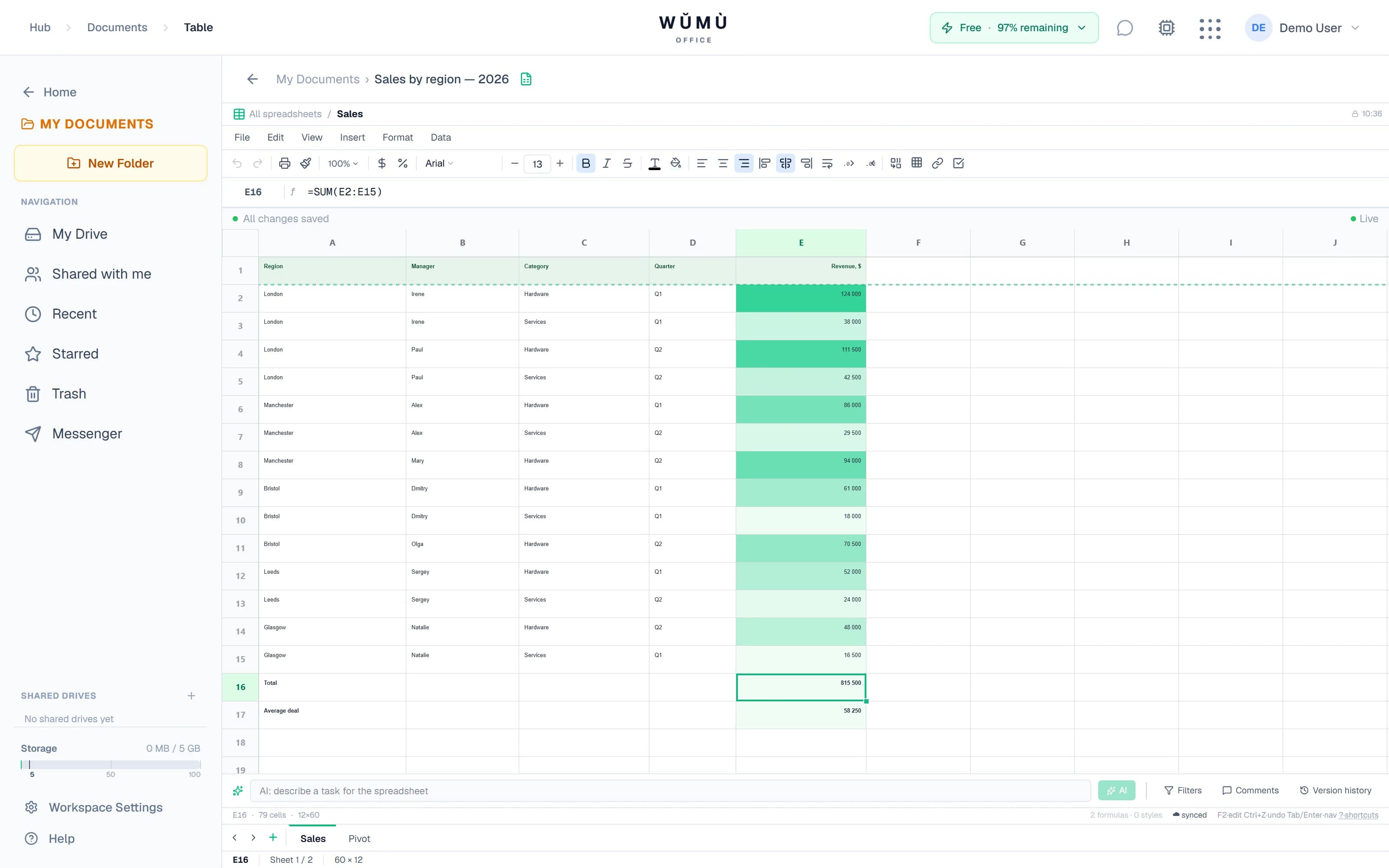
What the editor can do
The full list of what works today — no "coming soon", no "in development".
| Capability | What exactly is supported |
|---|---|
| Formulas | Over 250 functions, with localized names in several interface languages; autocomplete shows the syntax as you type |
| Arrays and lambdas | UNIQUE, FILTER, SORT, SEQUENCE, plus LAMBDA, LET, MAP, REDUCE, BYROW and BYCOL |
| Lookups and queries | VLOOKUP, XLOOKUP, XMATCH, INDEX, regular expressions and the QUERY language |
| Pivot tables | 11 aggregates, calculated fields, date grouping, share of total and drill-down to the source rows |
| Charts | 13 types, trendlines, a secondary axis, plus Gantt charts and in-cell sparklines |
| Conditional formatting | 9 rule types: color scales, in-cell data bars, icon sets and formula-based rules |
| Collaboration | Real-time edits, collaborator cursors, threaded comments and @mentions |
| Version history | Autosave every 5 minutes, side-by-side comparison of two versions and restore of any of them |
| Import and export | XLSX, XLS, ODS, CSV and TSV in; XLSX, CSV, ODS, PDF and HTML out |
| Automation | Sandboxed JavaScript macros, action recording and SQL queries over your sheets via DuckDB |
Sheet limits: up to 10,000 rows, 200 columns and 50 sheets per document; file import — up to 10 MB.
Formulas like in Excel — in your own language
The engine understands English function names as well as localized names in several languages, and the syntax hint appears as you type.
A full set
Over 250 functions: math, statistics, text, dates, logic, finance and array handling.
Dynamic arrays
One result spills into the neighboring cells: UNIQUE, FILTER, SORT, SEQUENCE, TEXTSPLIT.
Your own functions
LAMBDA, LET and named functions: describe complex logic once and reuse it.
Filters and slicers
Autofilter, saved views, slicers and duplicate removal in a couple of clicks.
Where a localized Excel set exists, the names follow it, so a spreadsheet built in a localized Excel needs no rewriting. Autocomplete offers the names of your interface language.
An AI assistant that edits the sheet itself
Describe the task in plain words — the assistant reads the data and either answers or makes the edits.
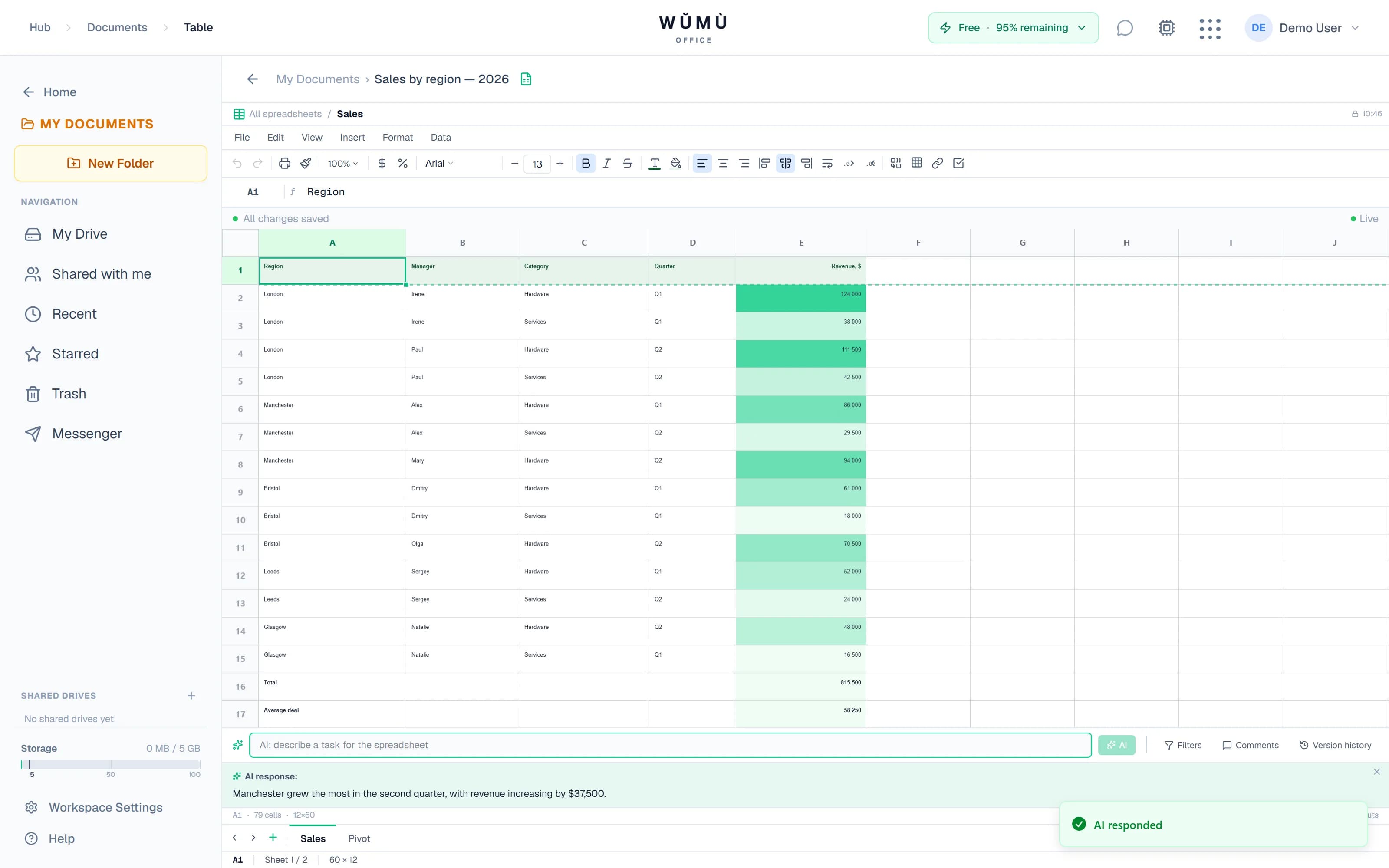
Answers about your data
Ask about totals, anomalies or trends — the assistant reads the sheet and answers from it, not from general knowledge.
Edits on your behalf
Fill a column, highlight discrepancies with color, bring formats to a single style — the assistant does it itself.
Fill by example
Fill in a couple of example cells and press Ctrl+E: the rest continues by the pattern, and the AI handles the tricky cases.
Everything is reversible
The assistant's edits are ordinary sheet changes: you see them immediately and can undo them with Ctrl+Z.
On the free plan — 10 AI requests and 5,000 tokens per month; new users get an extended quota for the first 15 days. There are no in-cell =AI() formulas: the assistant works from the request bar.
Analytics without exporting data
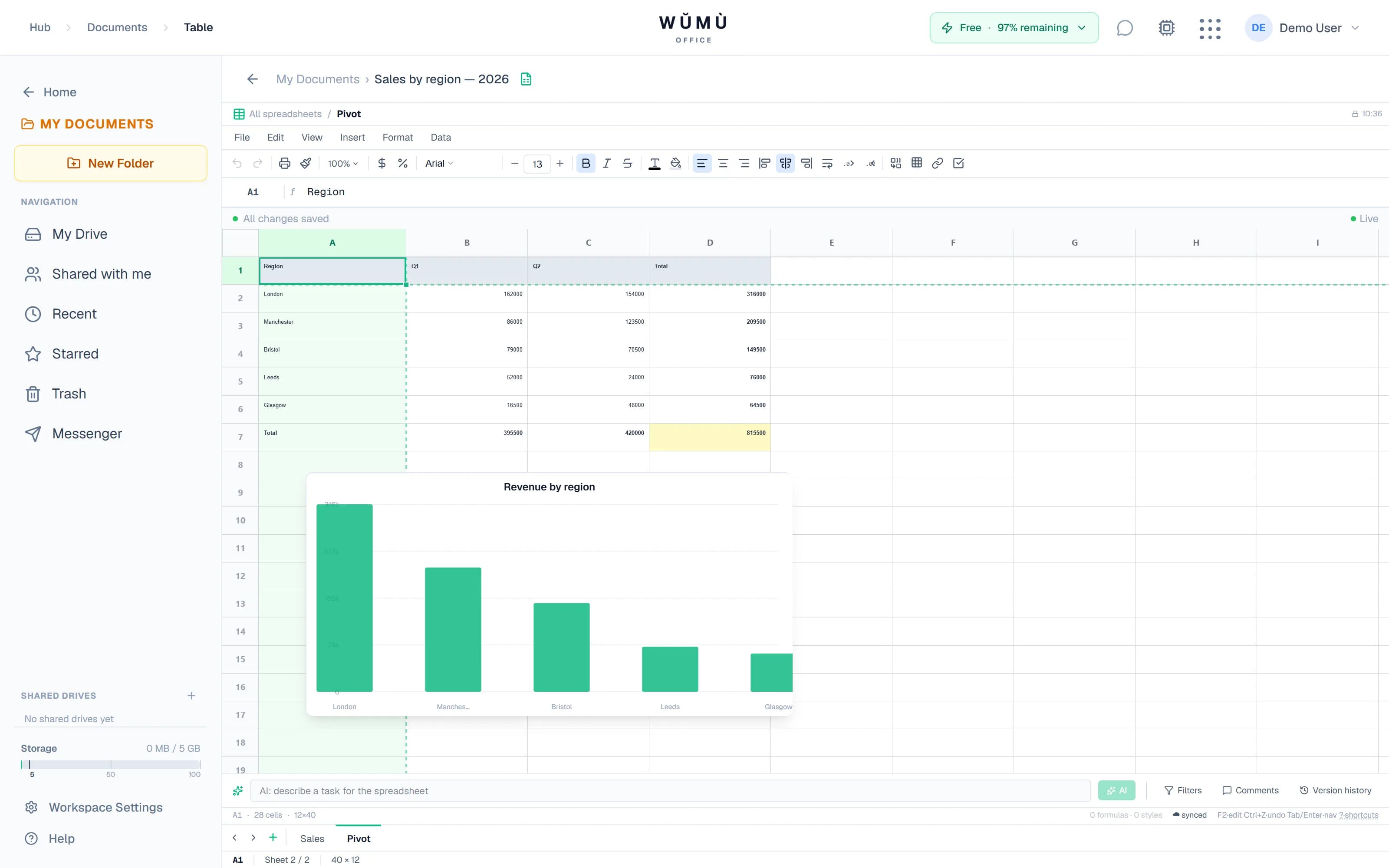
Pivots, charts and highlighting — on the same data, in the same document.
Pivot tables
11 aggregates, calculated fields, date grouping by years and quarters, share of total. Double-click a value to open the source rows.
13 chart types
From line and bar to waterfall, funnel and treemap. Plus trendlines, a secondary axis, Gantt charts and in-cell sparklines.
Conditional formatting
9 rule types: color scales, in-cell data bars, icon sets and rules based on any formula.
Work together
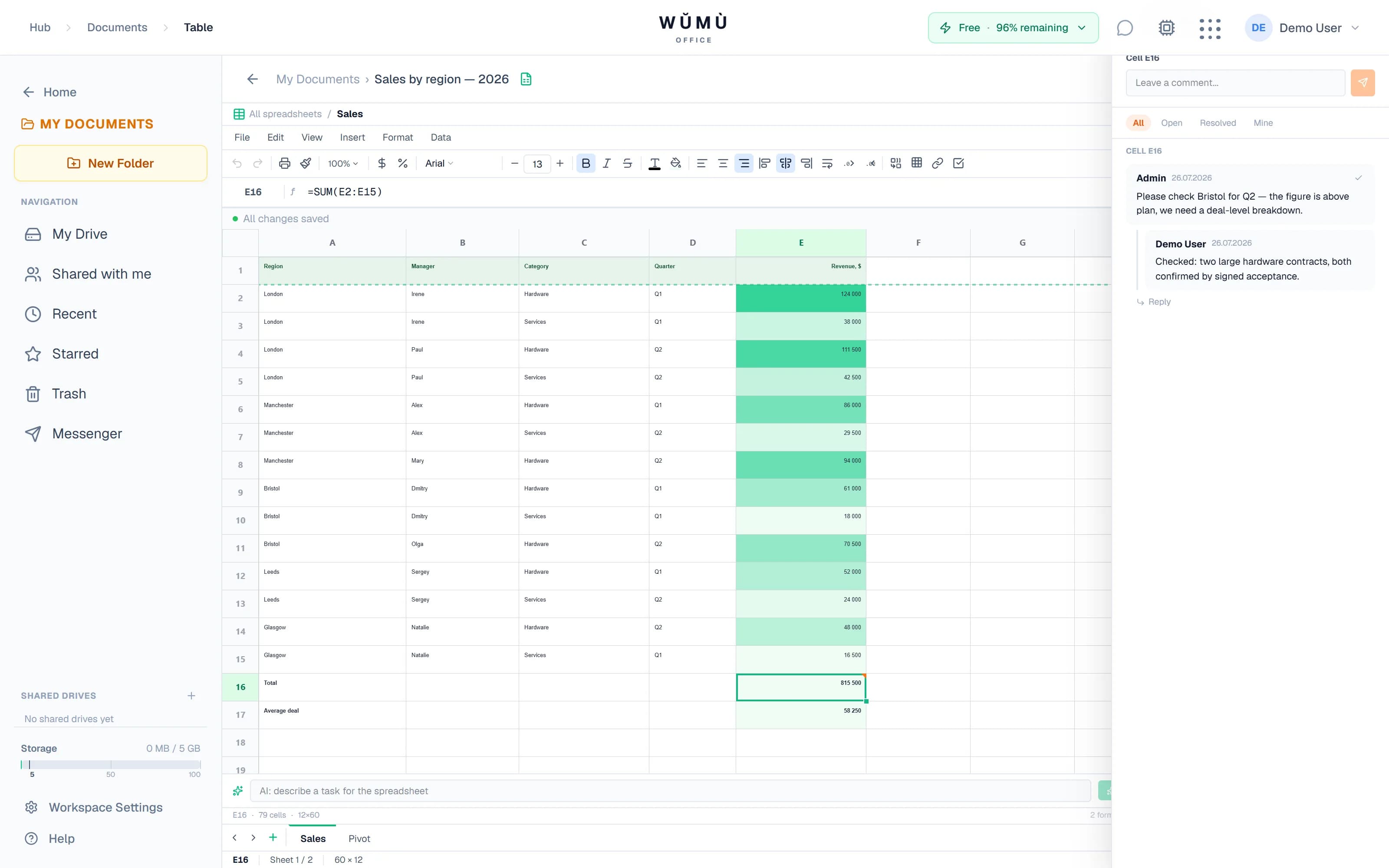
Edits appear immediately, discussion happens next to the data, and history keeps every step.
Collaborator cursors
You can see who is in the document right now and which cell they are working in.
Comments
Threads and @mentions with notifications. Roles: viewer, commenter, editor, owner.
Version history
Versions are saved automatically every 5 minutes: compare two of them and roll back to any.
Offline queue
If the connection drops, edits queue up in the browser and go to the server once it is back.
Your files open and go back out
Moving from Excel and back requires no converters.
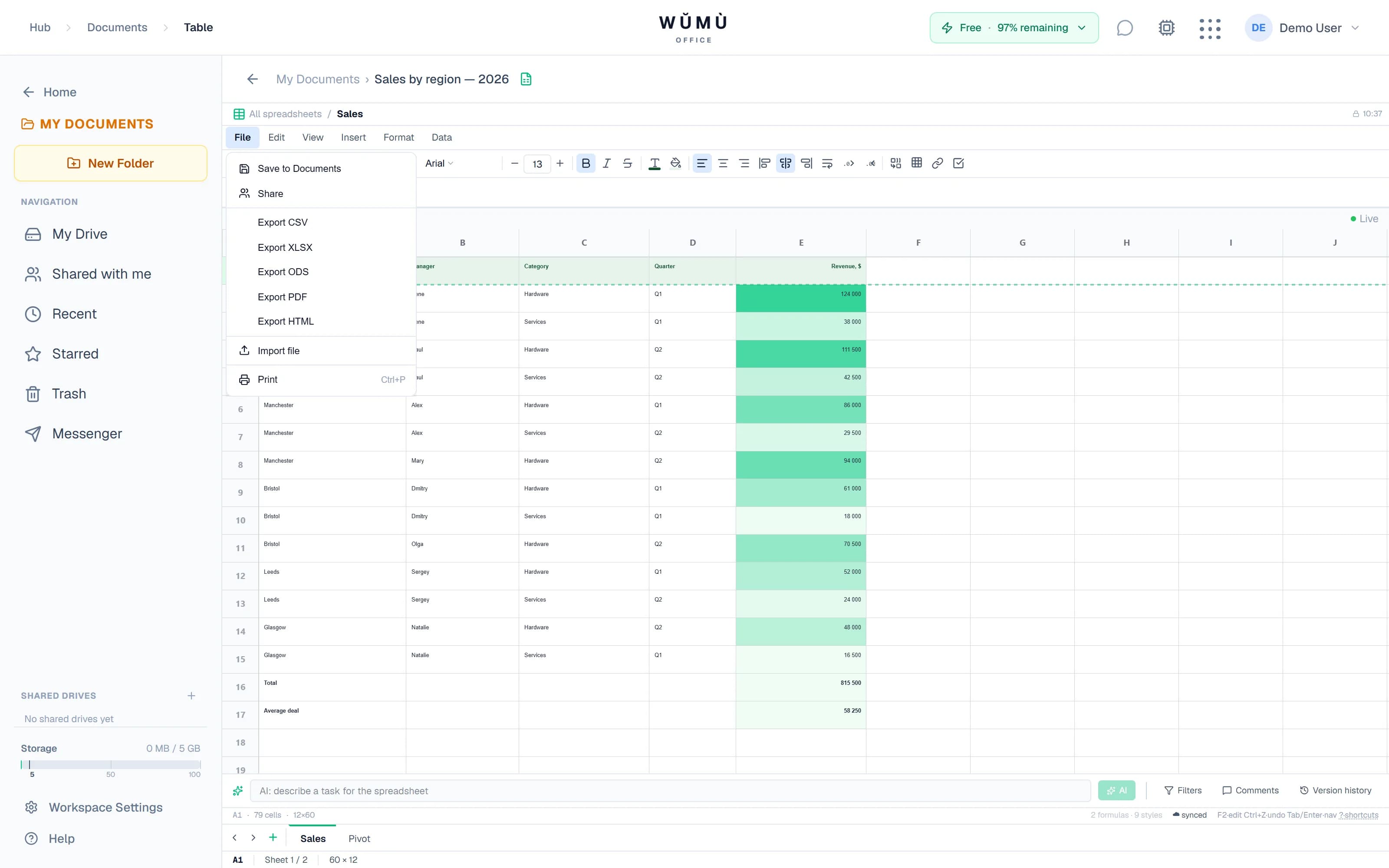
Import
XLSX, XLS, XLSM, ODS, CSV and TSV — with formulas, formatting and multiple sheets. Up to 10 MB per file, and CSV has a parsing wizard.
Export
XLSX, CSV, ODS, PDF and HTML. For PDF you can set margins, orientation, headers and footers, and repeating rows.
SQL straight over your sheets
Power Query on the DuckDB engine runs SQL queries against your sheets right in the browser — joins, grouping and filters without sending data anywhere.
What is free and what costs money
In short: the editor is free, you pay only for AI.
Free forever
- As many spreadsheets as you want — there is no limit on the count
- All formulas, pivot tables and charts
- Collaborative editing, comments and version history
- Import and export in every supported format
You pay only for AI
Requests to the AI assistant draw on your plan's monthly quota. On the free plan that is 10 requests and 5,000 tokens per month; if you need more, there are plans and token packs.
See the plansAn account is required: spreadsheets are stored in your workspace. New users get an extended AI quota for the first 15 days, after which the account stays on the free plan and the editor keeps working in full.
Frequently asked questions
Short and to the point — limitations included.
Yes. Creating and editing spreadsheets is not billed, the number of spreadsheets is unlimited, and formulas, pivots, charts, import and export are available on the free plan. There is one paid resource — requests to the AI assistant: on the free plan that is 10 requests and 5,000 tokens per month.
Yes: spreadsheets are stored in your workspace, so a free account is required. New users get an extended AI quota for the first 15 days, after which the account moves to the free plan — the editor keeps working in full.
Yes. XLSX, XLS, XLSM, ODS, CSV and TSV are imported — together with formulas, formatting and multiple sheets, up to 10 MB per file. The document goes back out as XLSX, CSV, ODS, PDF or HTML.
The assistant reads the contents of the sheet and works in two modes: it answers questions about your data, or it makes the edits itself — fills columns, highlights discrepancies with color, brings formats to a single style. Edits are applied as ordinary sheet changes, so you see them immediately and can undo them with Ctrl+Z. There are no in-cell =AI() formulas.
Yes. Edits sync in real time, collaborator cursors are visible, there are threaded comments with @mentions, and roles: viewer, commenter, editor and owner. A spreadsheet can be opened by link — it works without signing in, but view-only; the link can be protected with a password and an expiry date.
Up to 10,000 rows and 200 columns per sheet, up to 50 sheets per document, and file import up to 10 MB. Scheduled scripts run while the document is open in the browser: there is no server-side scheduler. Range protection works as a warning in the interface and does not replace role-based access control.
Start with a blank sheet
Signing up is free, the number of spreadsheets is unlimited, and the AI assistant is available right away.
Create a spreadsheetThe AI assistant can make mistakes — check calculations and edits before using them in your work. Microsoft Excel and Google Sheets are trademarks of their respective owners; they are mentioned only to indicate format compatibility.