A website for your practice
in minutes, with AI
WUMU Site Builder is a visual editor where a specialist assembles a public website from ready-made blocks — or gets one generated by AI from a short business description. Instant subdomain publishing, lead capture and client booking, no developer needed.
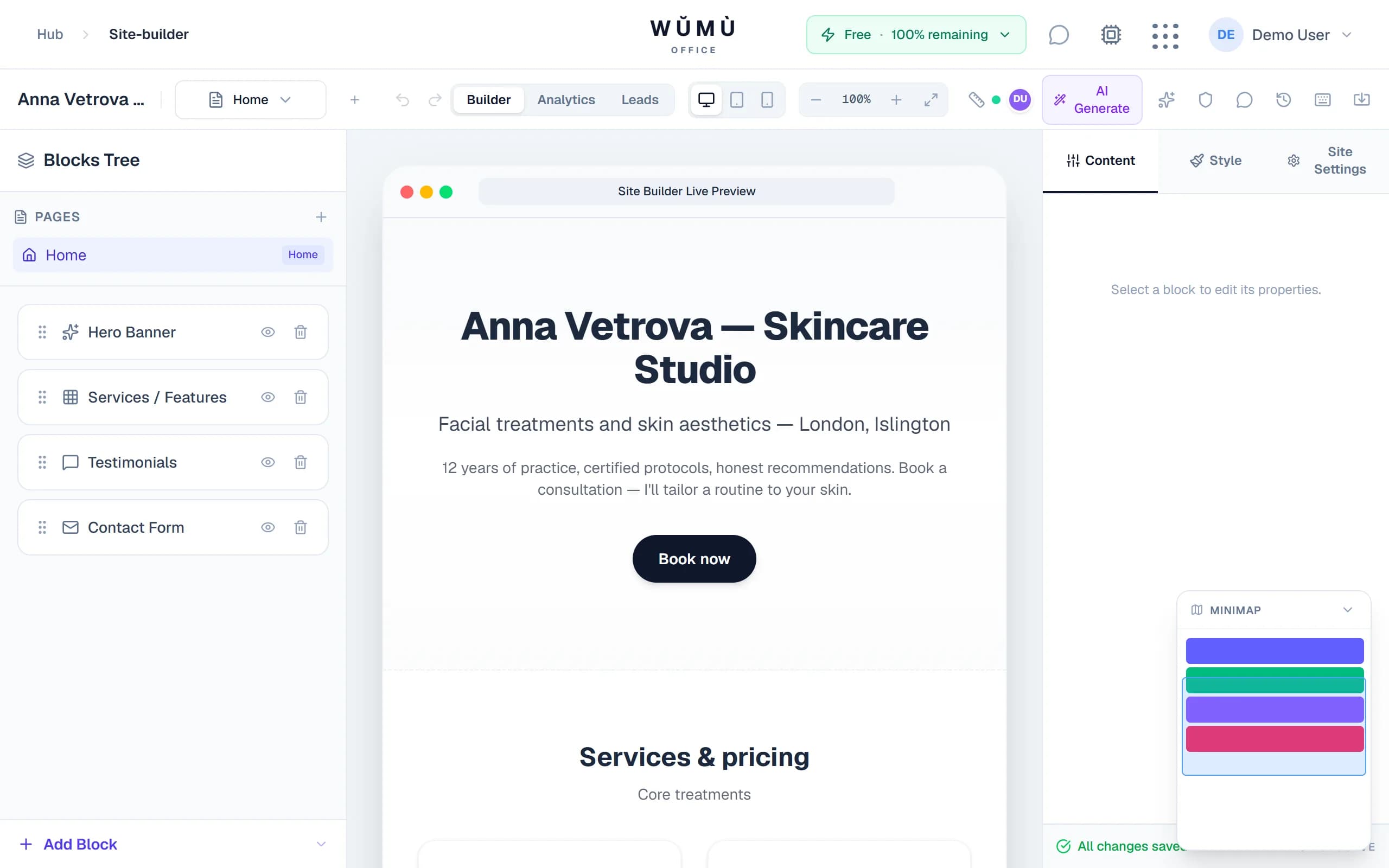
Describe your business — AI builds the site
Full-site generation with copy from one description, edits via chat, and an automatic quality audit.
Write a couple of sentences about yourself: “I'm an independent consultant helping SaaS teams with onboarding.” The AI picks a block structure, writes headlines and copy, and applies a fitting theme.
Then it's a dialogue: ask the AI assistant to add a testimonials block, change colours, or rewrite your services. The assistant proposes concrete changes — you confirm, they apply to the site.
- Site generation: business description → ready blocks with content and a theme
- Chat assistant: block, style and settings edits from your messages
- Audit: content completeness and quality check with recommendations
Field copy is AI-assisted too: improve, shorten or change tone right in the editor.
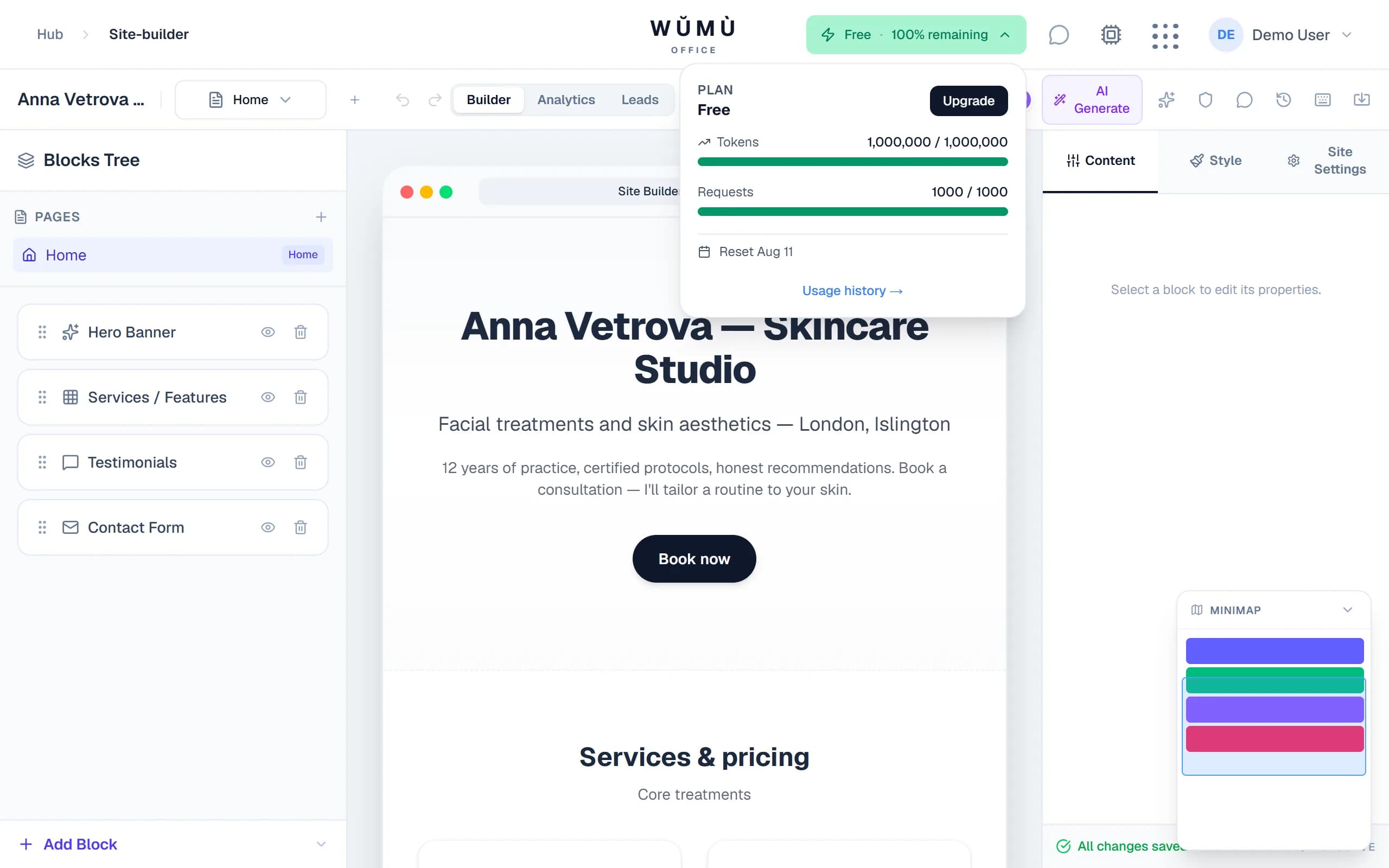
A visual editor, zero code
Three panels: site structure, a live-preview canvas, and the selected block's settings.
Drag-and-drop blocks
18+ block types: hero, services, gallery, testimonials, contact form, appointment booking and more. Reorder with a simple drag.
Themes and styles
Light, dark, neutral and professional themes; per-block colours, spacing, shadows and fonts in the right-hand panel.
Responsive by design
Preview switches between desktop, tablet and phone; style overrides per breakpoint.
Undo and history
Undo/redo, keyboard shortcuts, version history with restore: every step can be rolled back.
Ready-made sets for your profession
Pick a profession — the builder suggests fitting blocks with example content.
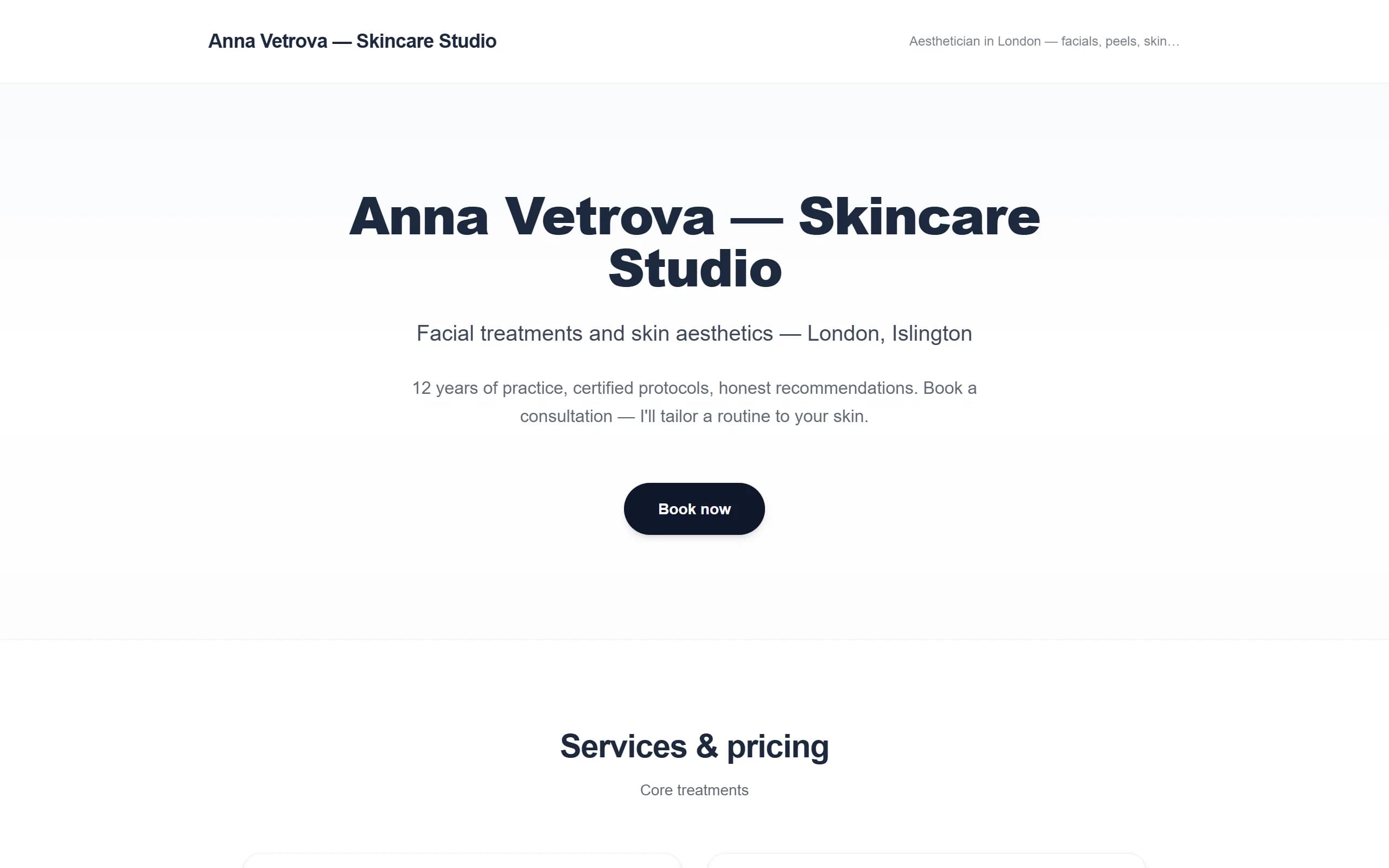
Beauty specialist
Before/after slider, treatment price list by category, appointment booking.
Lawyer
Won cases, practice areas, consultation request form.
Accountant
Service cost calculator, reporting calendar, service packages.
Designer
Portfolio gallery, moodboards, layout showcase.
Plus a universal set for any specialty: hero, services, gallery, testimonials, contacts.
Publish in one click
An address the moment you publish; your own domain when you're ready.
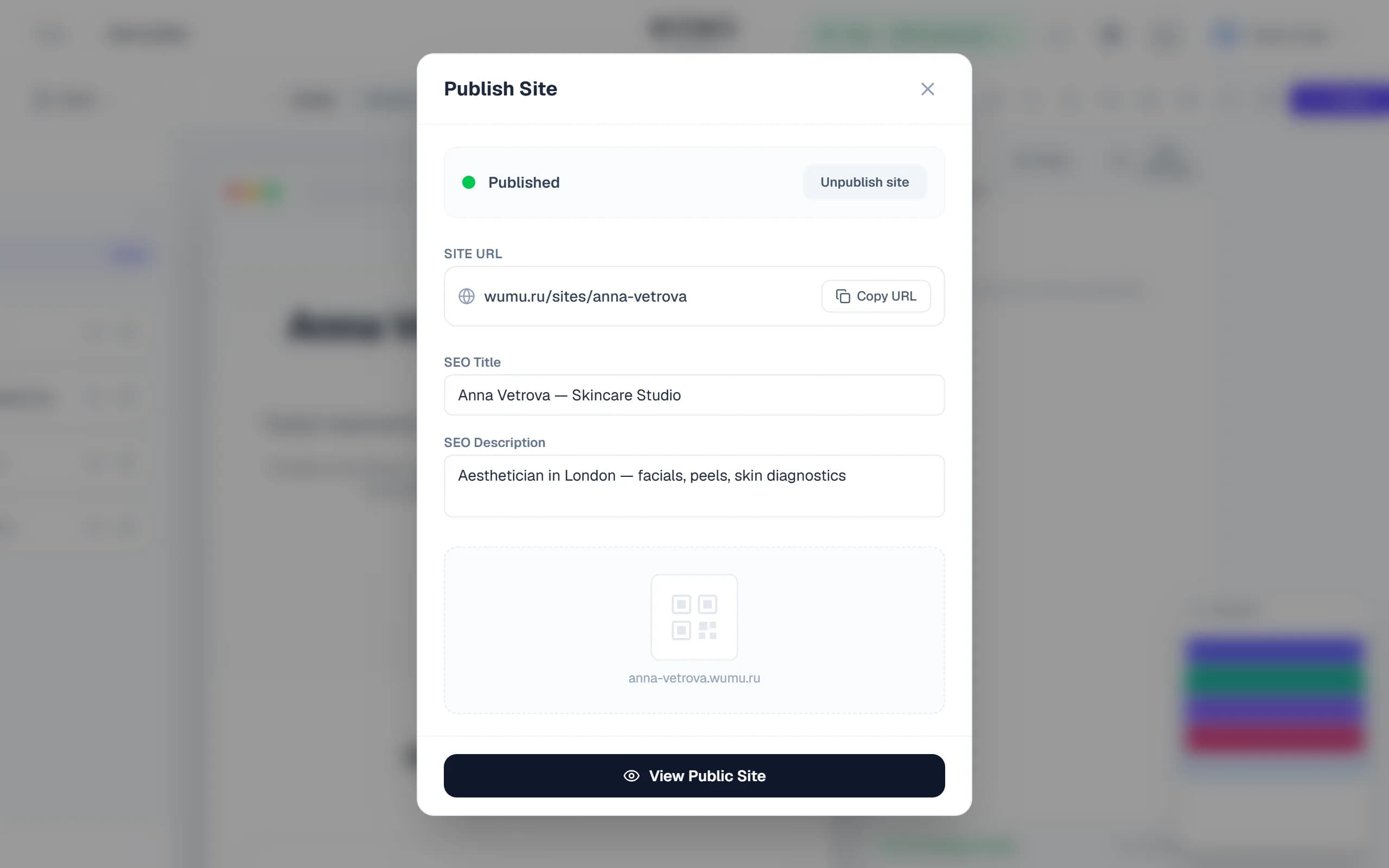
Hit “Publish” — the site goes live on a free subdomain and via a direct link. No hosting, control panels or server setup.
- Instant subdomain — a free subdomain is issued the moment you publish
- Custom domain — connect mysite.com: a step-by-step DNS guide and verification right in the editor
- SEO out of the box — titles, descriptions, Open Graph previews for messengers, and JSON-LD markup on every page
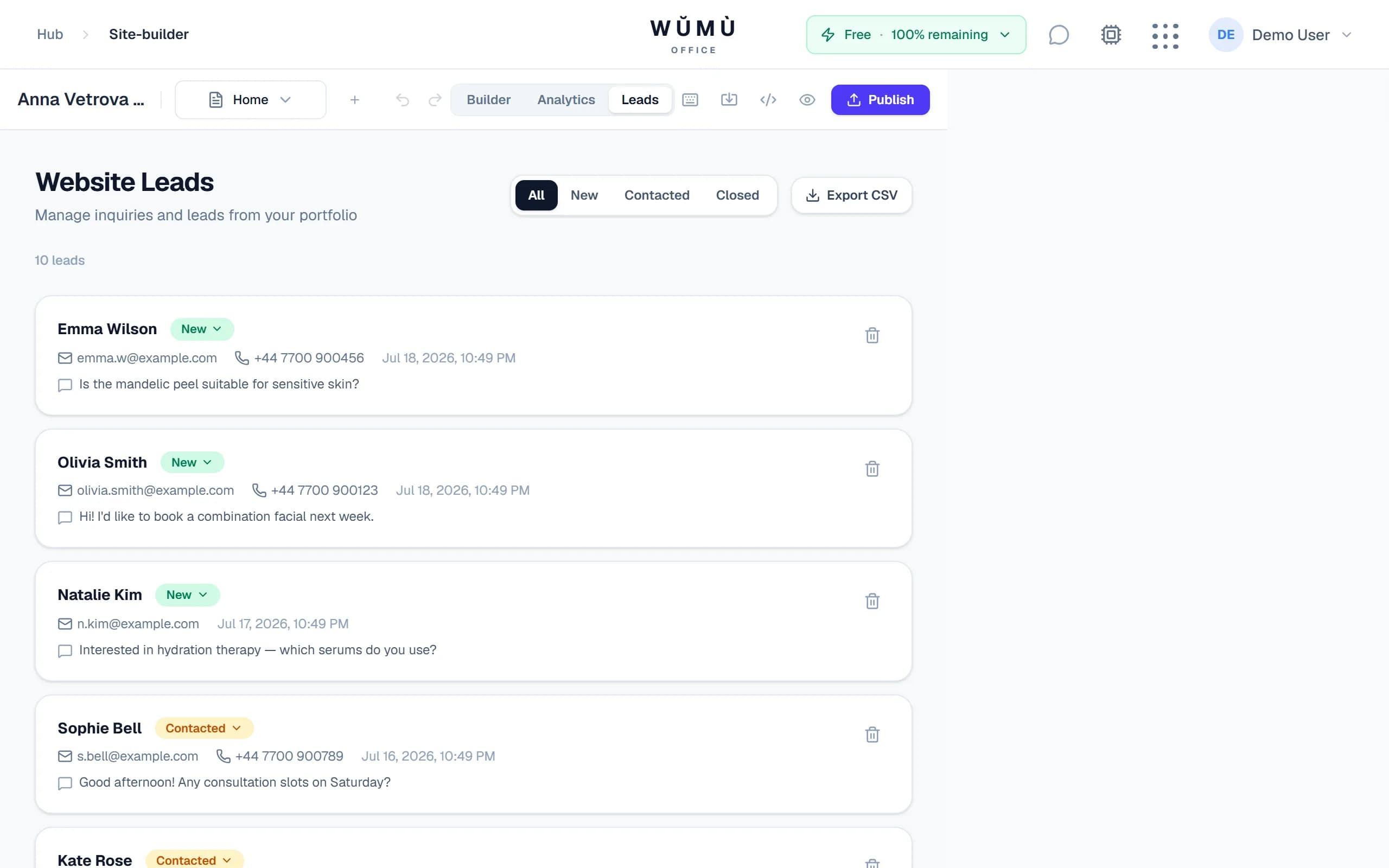
Leads and client booking
A visitor sends a request or books a slot — you're notified instantly.
Form on the site
Visitors fill in the contact form; Turnstile captcha keeps spam bots out.
Lead in the panel + Telegram
The request lands in the leads panel with statuses, and a notification arrives in Telegram.
Calendar-based booking
The booking block shows free slots from your work calendar; bookings arrive for your confirmation.
Analytics without third-party tools
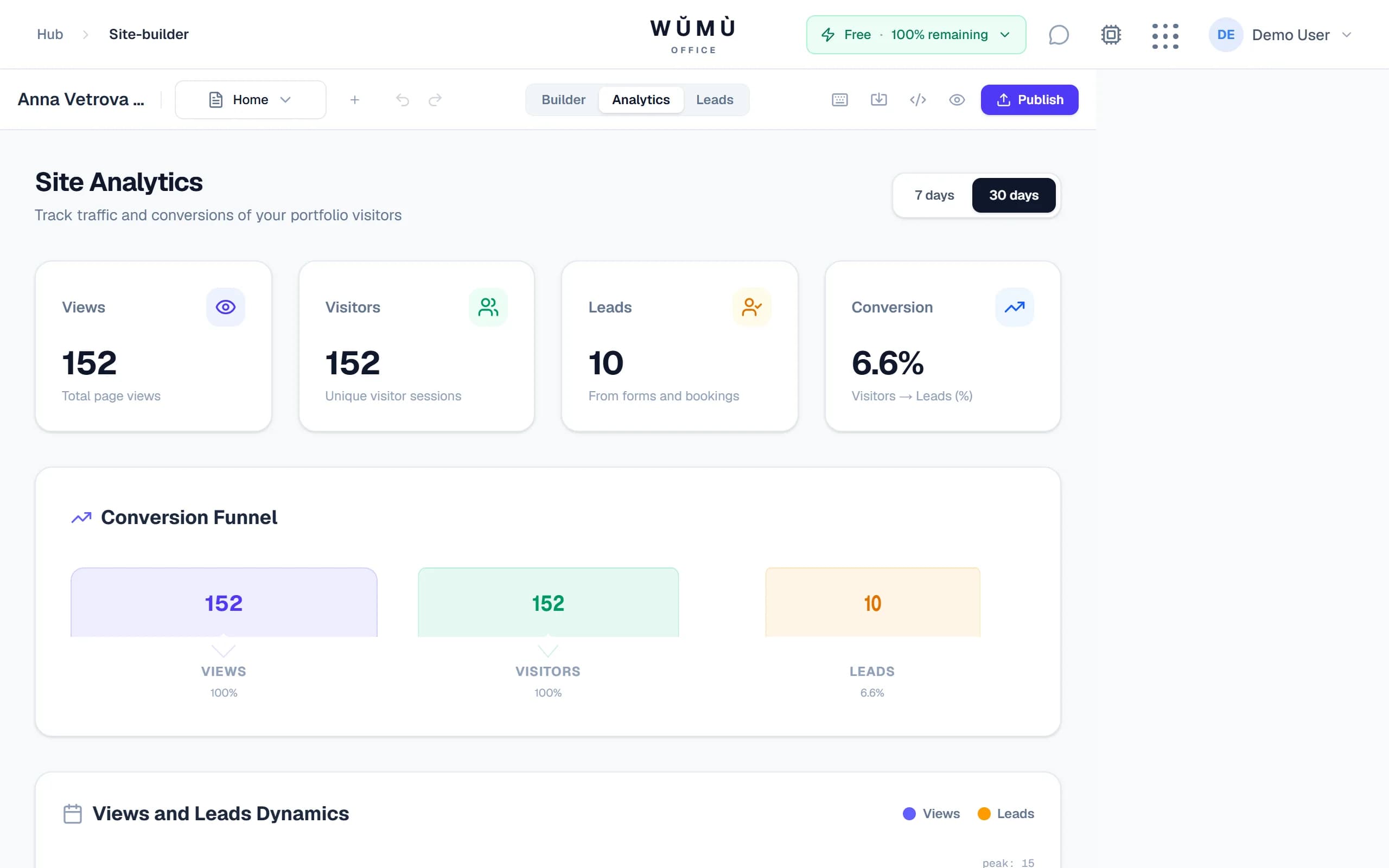
Who visits your site, where they come from and what they do — in the editor's analytics tab.
Page views
Daily traffic dynamics, unique visitors, top pages.
Sources and UTM
Where a visitor came from: referrers and campaign UTM tags.
Geography
Countries and cities of your site's visitors.
Funnel and conversion
The path from a view to a request, and the lead conversion rate.
Build the site together
Edit with a colleague or contractor — in real time.
Live cursors
See who's in the editor right now and which block they've selected.
Comment pins
Leave notes right on the layout; threads and a “resolved” state.
Version history
Named site snapshots; restore any version in one click.
Your site — your code
Import a Figma layout, and take your finished site away as code — no platform lock-in.
Figma import
Paste a layout link — the builder recognises sections and proposes blocks; you approve each one on a review step.
HTML export
A self-contained HTML archive with styles — open it in a browser or host it anywhere.
Next.js project export
A full Next.js project with block components — hand it to a developer and evolve the site as code.
Honestly: interactive blocks (forms, booking) become static in the HTML export — they need the WŬMÙ backend.
Frequently asked questions
The essentials of how WUMU Site Builder works.
Build your site today
Describe your business — in a few minutes you'll have a published site with a lead form.
Try for freeThe builder is part of the WŬMÙ Office platform. Features and limits depend on your plan; see the pricing page for current terms.