Long videos into viral Shorts & Reels
Paste a YouTube, VK or Rutube link — AI finds the best moments, crops to vertical, adds captions and publishes to social.
WŬMÙ AI Reels Maker is an AI tool that automatically turns long videos (podcasts, webinars, streams) into vertical Shorts and Reels, adds animated word-by-word captions, reframes to 9:16 with face tracking, and publishes to YouTube Shorts, VK Clips, Rutube, TikTok and Instagram Reels.
How it works
From a long video to a ready Reel — in 4 steps
Paste a link or upload
YouTube, VK, Rutube or your own MP4/MOV. Up to 2 GB.
AI analyzes and clips
Word-level transcription and detection of the 3–5 most viral moments.
Auto-reframe & captions
16:9 → 9:16 reframing with face tracking and animated captions.
Export & publish
Download or publish to 5 networks in one click, including on schedule.
Everything you need for viral clips
From AI curation to publishing — in one place
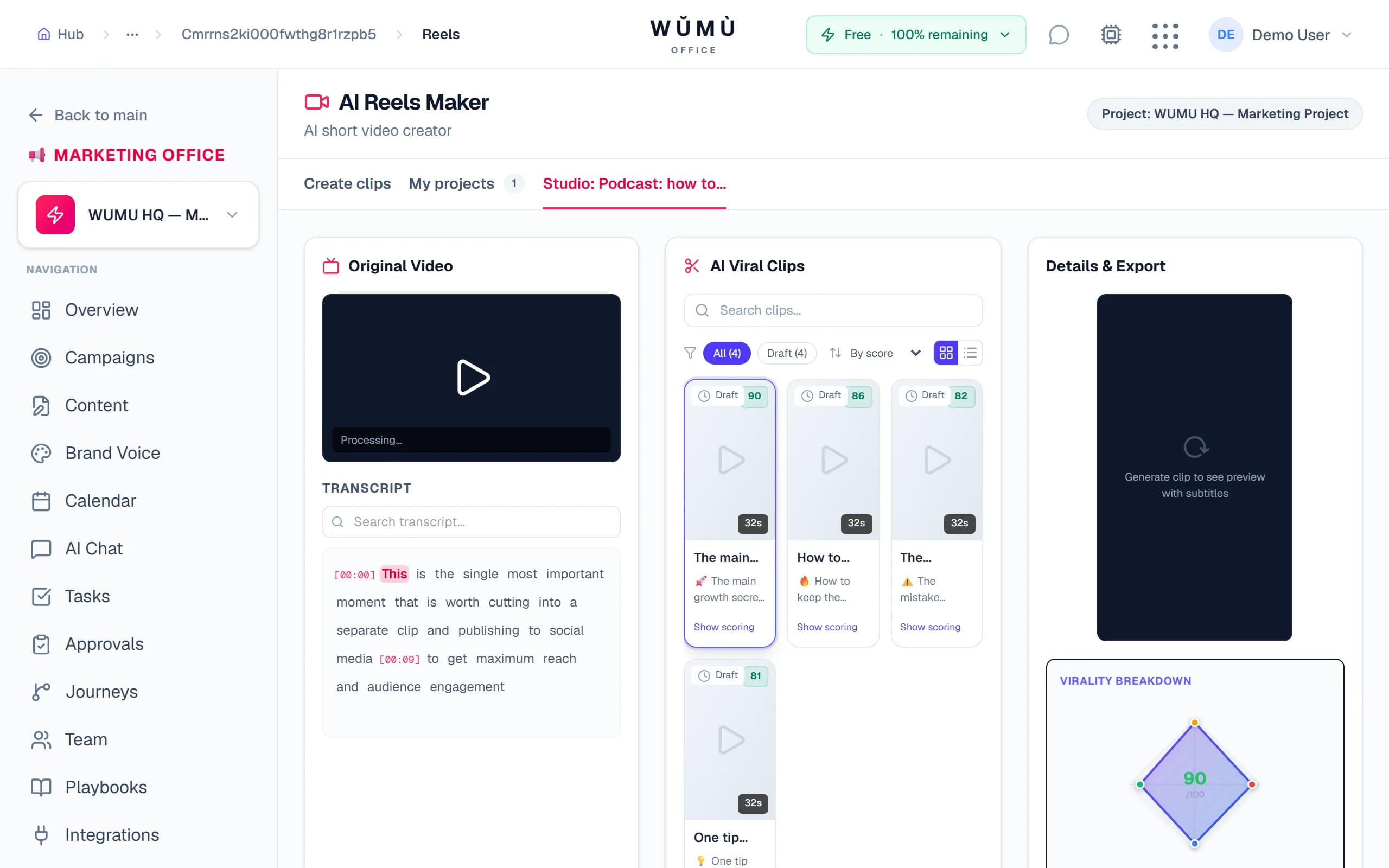
AI virality scoring
Every clip is scored on 4 axes: Hook, Emotion, Shareability, Trend — with keyword highlights and emoji.
Face-tracking auto-reframe
A virtual camera follows the speaker and smoothly reframes to 9:16, 1:1 or 16:9.
Dynamic captions
Word-by-word animation, Bold / Minimal / Bouncy / Karaoke presets, custom styles and semantic highlighting.
In-browser editor
A WYSIWYG Remotion studio with a live 9:16 preview — what you see is what you export.
Interactive transcript
Click a word to seek the video. Select a phrase to spin it into a separate clip.
Flexible export
MP4 or WebM, 720p / 1080p, 9:16 / 1:1 / 16:9 ratios, thumbnails and batch export.
Publish to 5 networks
YouTube Shorts, VK Clips, Rutube, TikTok and Instagram Reels — one click, one window.
Scheduled posting
Queue posts on a schedule with automatic retry on failures — content ships without you.
Edit right in the browser
A full studio with nothing to install: video player, interactive transcript, caption editor and a 9:16 clip preview — all in sync.
- Click a word in the transcript to seek the video
- Live preview of captions and styles
- Manual crop tweaks on top of auto-reframe
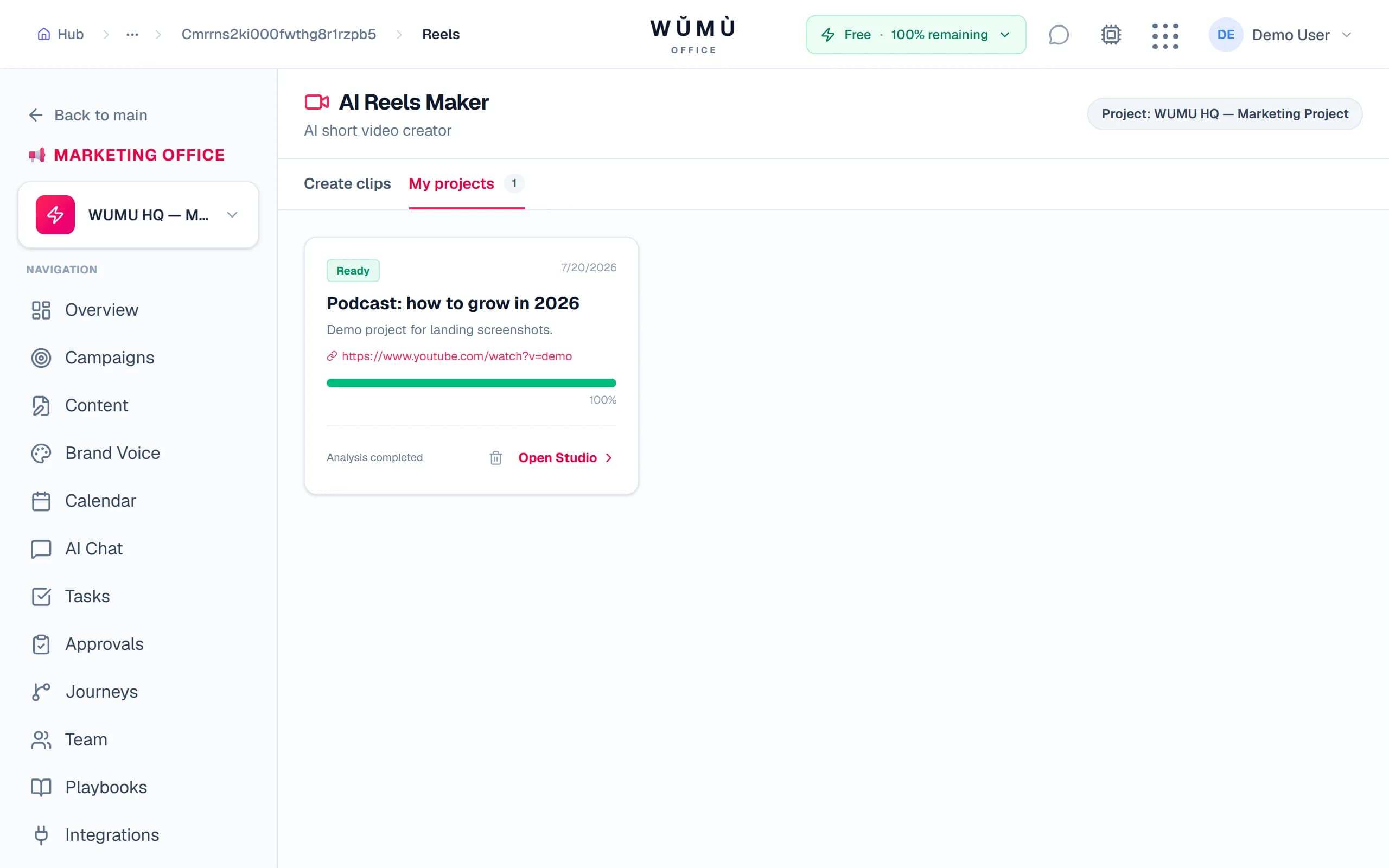
Publish everywhere from one window
A finished clip ships to social in one click — with title, description and hashtags. Want it later? Put it on a schedule.
Why WŬMÙ
Compared to popular AI clippers
| Feature | WŬMÙ | OpusClip | Submagic | Reap |
|---|---|---|---|---|
| Face-tracking auto-reframe | Yes | Yes | Yes | No |
| Animated captions | Yes | Yes | Yes | No |
| VK Clips & Rutube publishing | Yes | No | No | No |
| 9:16 / 1:1 / 16:9 formats | Yes | Yes | No | Yes |
| 4-axis virality scoring | Yes | Yes | No | No |
| In-browser editor | Yes | Yes | Yes | Yes |
Who it's for
Marketers
Turn webinars and live streams into Shorts and Reels without an editor.
Education
Turn lectures and courses into short social videos.
Podcasters
Get a dozen viral captioned clips from a one-hour episode.
HR & recruiting
Make short video intros and company content from long recordings.
Transparent token pricing
Pay for processing — no idle subscriptions
150 tokens per project analysis + 20 tokens per minute of export. Start for free.
Try it freeFrequently asked questions
How do I make a Reel from a long YouTube video?
Paste a YouTube, VK or Rutube link — the AI transcribes the video, finds the 3–5 most viral moments, crops them to vertical 9:16 with face tracking and adds captions. Then just download or publish.
Which tool clips videos into Shorts with captions?
WŬMÙ AI Reels Maker recognizes speech with word-level timing and generates animated captions with style presets and semantic keyword highlighting.
Can I publish to VK Clips and TikTok from one place?
Yes. A finished clip publishes in one click to YouTube Shorts, VK Clips, Rutube, TikTok and Instagram Reels — from one window, with title, description and hashtags, including on a schedule.
What export formats and quality are supported?
Export to MP4 or WebM, 720p / 1080p / original quality, and 9:16, 1:1 and 16:9 aspect ratios. You can batch-export all clips of a project.
What is virality scoring?
Each clip is scored by AI on 4 axes — Hook, Emotion, Shareability and Trend — so you instantly see the most promising moments.
Do I need to install anything?
No. Everything runs in the browser: upload, AI analysis, caption editor and preview, export and publishing.
What is auto-reframe?
It automatically converts horizontal 16:9 video to vertical 9:16: the AI tracks the speaker's face and smoothly reframes to keep them centered, like a live camera operator.
How much does it cost?
Token pricing: 150 per project analysis and 20 per minute of export, with no mandatory subscription. You can start for free.
Your first viral clip in minutes
Upload a video and get ready Shorts and Reels with captions.
Start free