Every work document —
in one place
WŬMÙ Documents is cloud storage for work files: upload whole folders, share team drives, grant access by role, search by meaning inside file contents, and ask an assistant questions about your documents with citations back to the sources.
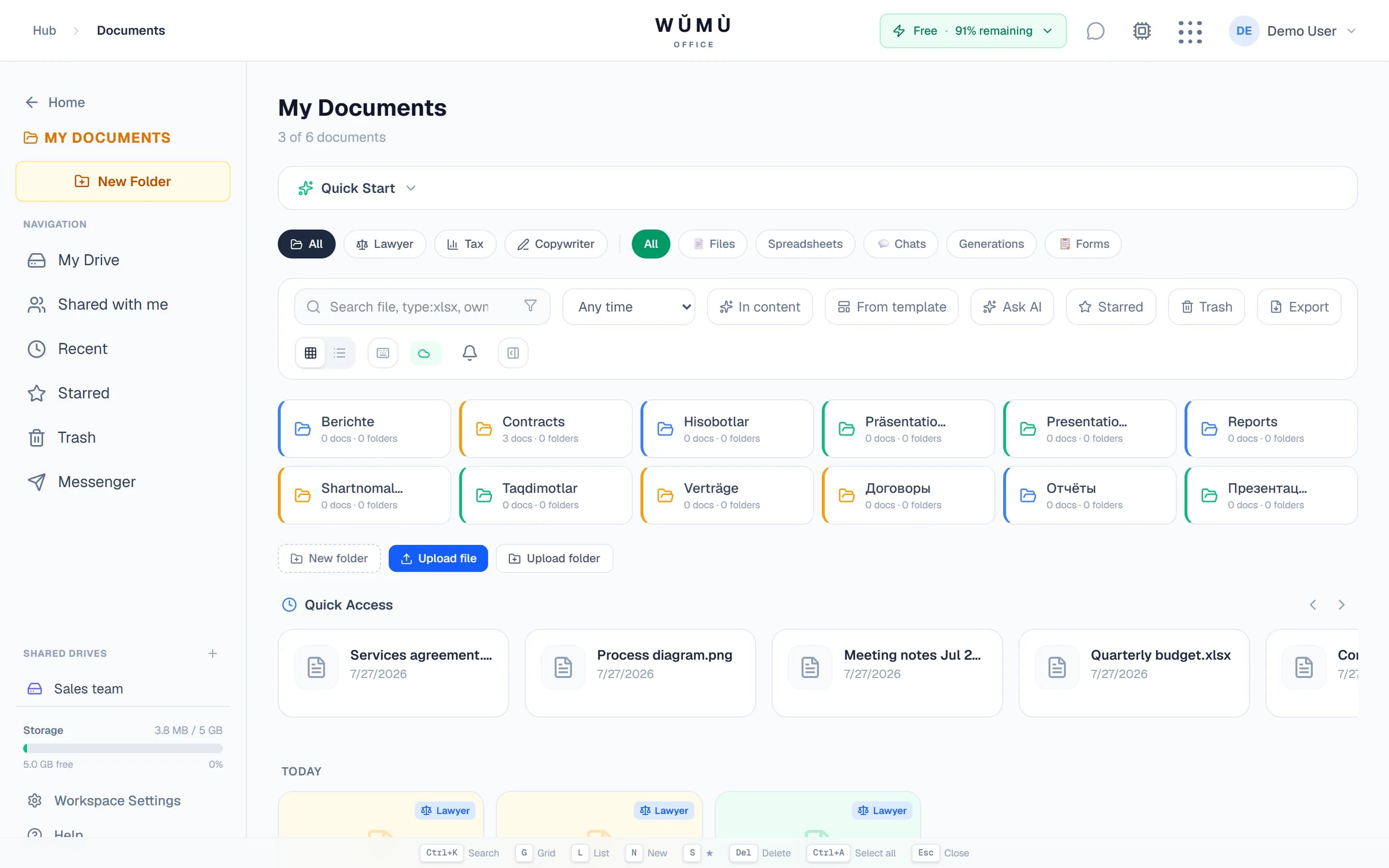
Order instead of a Downloads folder
Files land in storage by drag-and-drop — one by one or a whole folder, with a progress bar. From there you can organise, mark and find them.
Upload whole folders
Drag in files or an entire folder — the structure is preserved. Any selection or folder comes back out as a single ZIP archive.
Folders, favourites, tags
Sort into folders, star what matters, add tags. There are Recent and Shared-with-me views, and every file keeps an activity trail.
Preview without downloading
Images, PDF, Word and Excel open right in the browser — you don't have to pull a file onto your disk just to check whether it's the right one.
Space counts everything you uploaded and created, including the trash: 5 GB on the free plan, 50 GB on Pro and 100 GB on Business.
Collaboration without emailing files around
The document lives in one place and access is granted by role — instead of a dozen versions scattered across mail and chats.
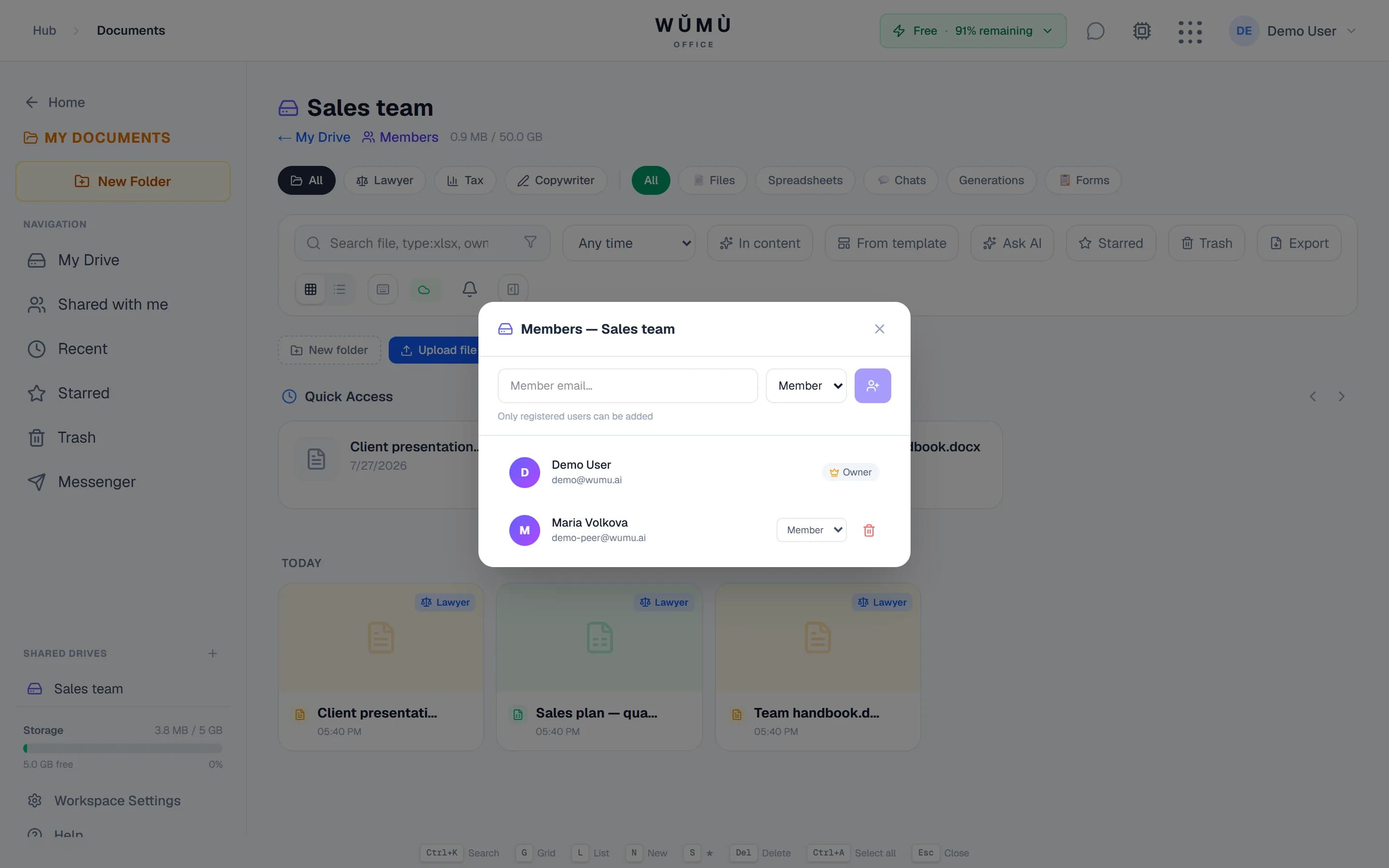
Shared team drives
A drive belongs to the team, not to a person: members with roles, folders inside the drive, its own quota and its own trash. Files can move between your personal drive and a shared one.
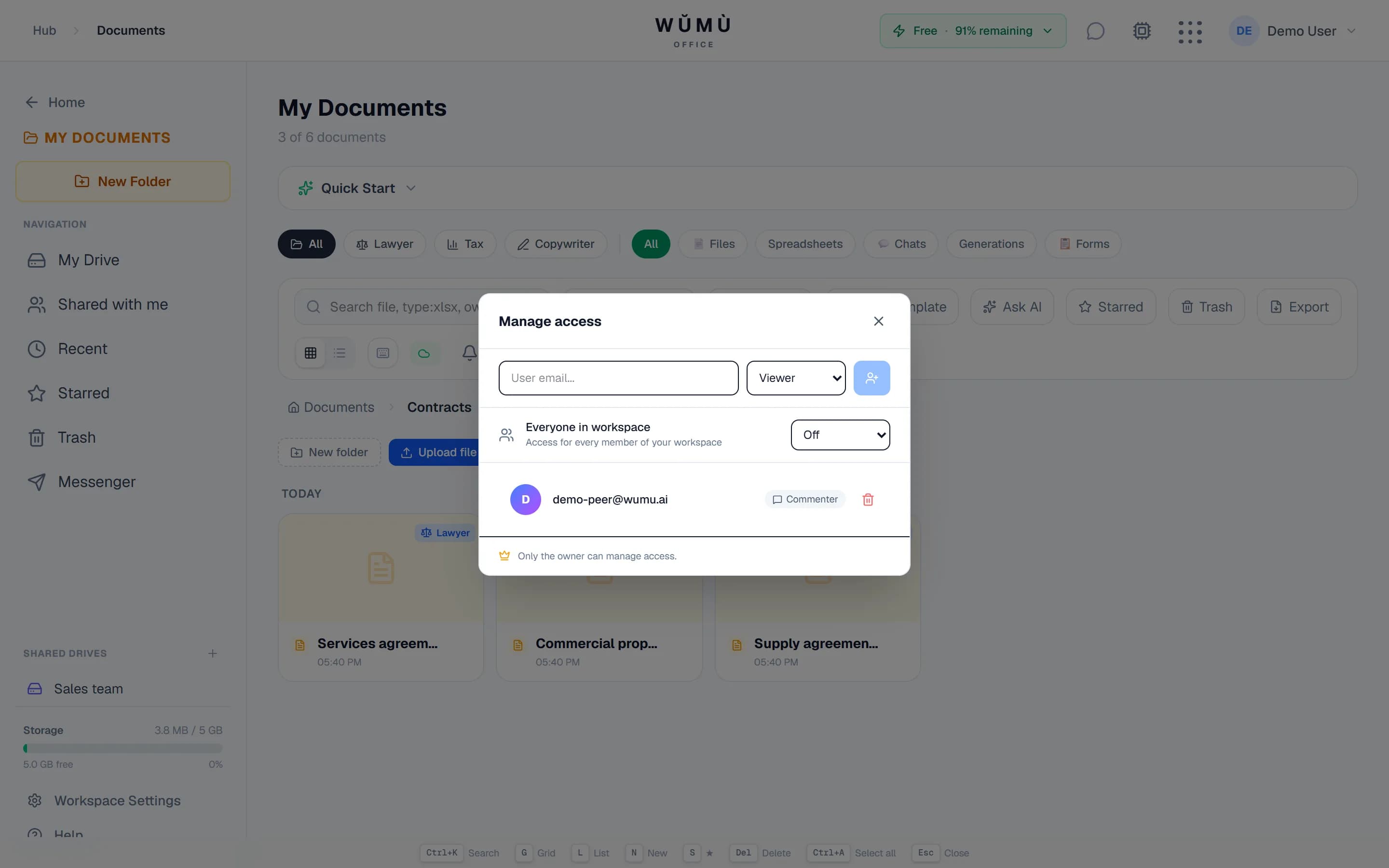
Exactly the access you intend
Share by email with view, comment or edit rights. For outsiders — a public link with a password and an expiry date (view or comment only). If someone lacks access they can request it in one click, and a file can also be opened to the whole workspace at once.
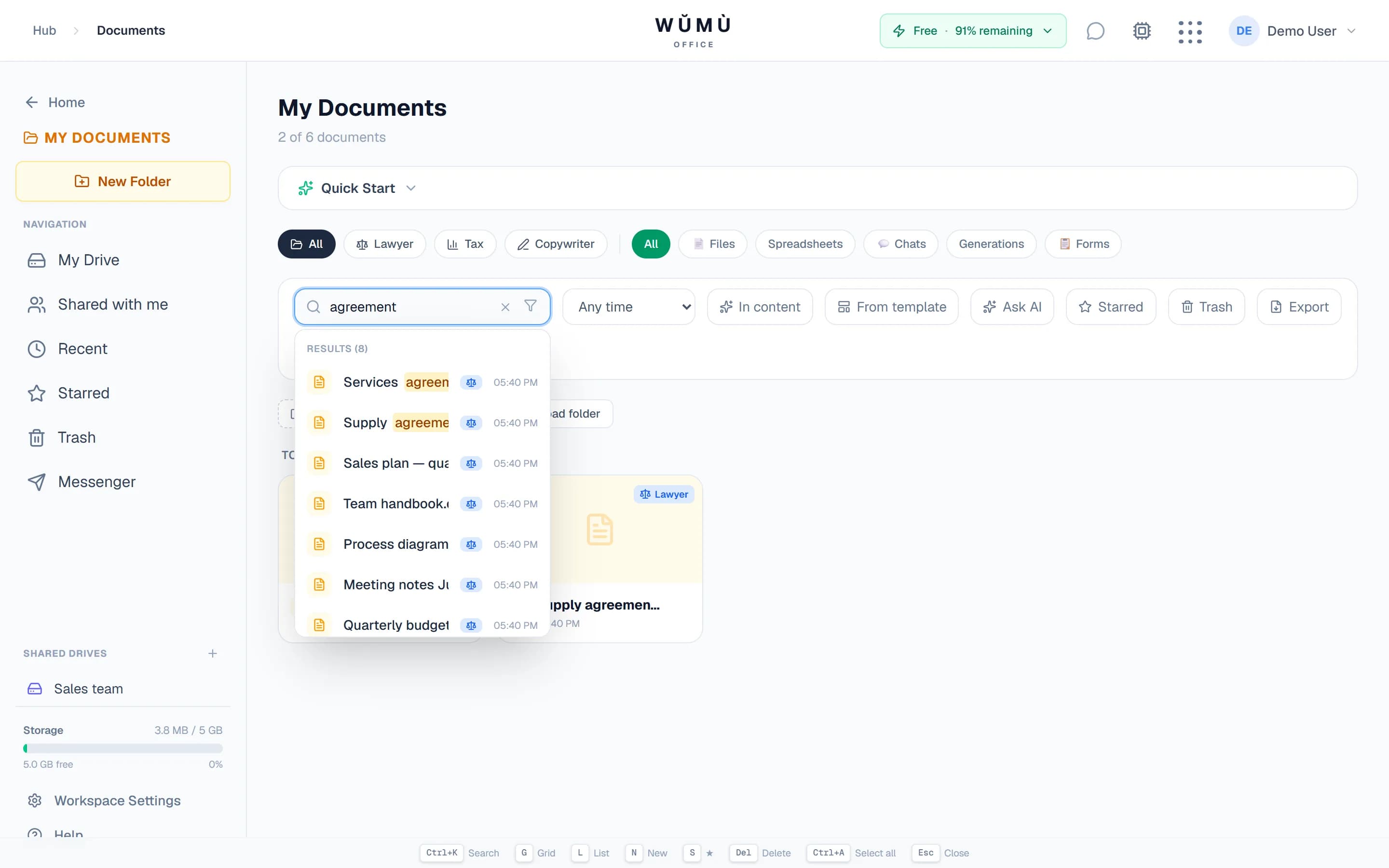
Search that understands meaning
Search goes beyond file names: it looks inside documents and finds by meaning, even when the wording doesn't match. Plus operators like type:, before:, owner:me and tag search.
Versions and discussion in place
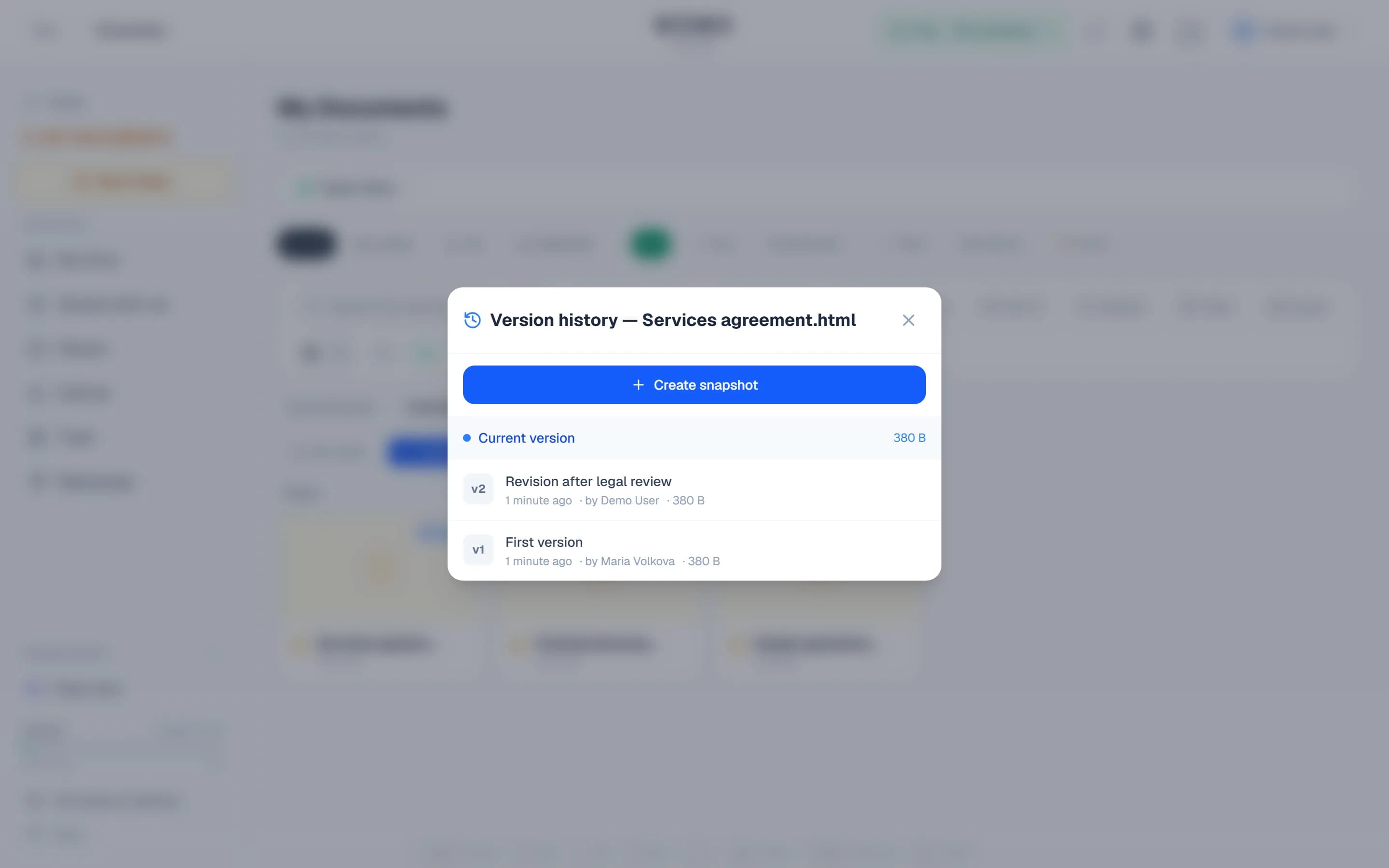
Version history lets you return to any snapshot and compare the changes. Comments are anchored to a specific piece of text, group into threads and support @mentions of colleagues.
Ask your documents
The assistant answers from the contents of your files and shows where every fact came from.
Answers with citations
Ask in plain words — the assistant finds the relevant fragments and answers with numbered citations. Each one leads back to the file it came from.
Searches shared drives too
Answers draw on both your own documents and files in the shared drives you have access to. Nothing you aren't allowed to see is included — permissions are checked on every request.
Reads scanned PDFs
If a PDF is a scan with no text layer, the document can be recognised and then worked with like ordinary text.
Storage, search and collaboration don't consume the AI quota — it is spent only on assistant requests and scan recognition.
The editors are already here
You don't have to download a document or a spreadsheet to fix a couple of lines — they open right inside the storage.
Text editor
Track changes, comments, real-time co-editing, Word import and export to DOCX, PDF, ODT and EPUB.
About the document editorSpreadsheets
Formulas, pivot tables and charts, collaboration and XLSX, CSV and ODS import and export.
About the spreadsheet editorWorks when the connection drops
A commute, a flight, weak Wi-Fi — your documents stay at hand.
Offline reading
Documents you opened online stay readable without a connection — they are kept on your device.
Edits aren't lost
Changes made offline are queued and sent on their own the moment the connection returns.
On a phone too
The interface adapts to a small screen: documents can be both read and edited from a phone.
Capabilities at a glance
Exactly what you get in the My Documents section.
| Capability | How it works |
|---|---|
| Space | 5 GB on the free plan, 50 GB on Pro, 100 GB on Business. The trash counts toward the total. |
| Upload | Drag-and-drop, files or whole folders, with a progress bar; download any selection as one ZIP. |
| Access | By email with view, comment or edit rights; a public link with a password and expiry; workspace-wide access; access requests. |
| Shared drives | A team drive with member roles, folders, its own quota and a separate trash. |
| Search | By name, by operators (type:, before:, owner:me, tags) and by meaning inside file contents. |
| Versions | Document snapshots, restore any of them and compare the changes. |
| Preview | Images, PDF, Word and Excel open in the browser with no download. |
| Offline | Reading of previously opened documents, and edits that sync once you're back online. |
Frequently asked questions
WŬMÙ Documents is storage for work files inside a workspace that also holds the editors, the messenger and the agent offices. The key difference is that search and the assistant understand the contents: you can ask in plain words and get an answer with links to the specific files. We do not ship a desktop folder-sync client — the work happens in the browser.
5 GB on the free plan, 50 GB on Pro and 100 GB on Business. The total counts everything you uploaded or created, including document versions, spreadsheets, attachments and whatever sits in the trash. To free space immediately, empty the trash.
Partly, yes. Documents you opened online remain readable offline. Edits made offline are stored on your device and sent to the server automatically once the connection is back. If someone else changed the document meanwhile, we warn you instead of silently overwriting their version.
Create a public link. You can give it a password and an expiry date, and choose the right it grants: view only, or view with commenting. Editing is never granted through a public link — that requires access by email.
A folder belongs to a person: when they leave, access has to be reassigned. A shared drive belongs to the team: it has its own members with roles, its own quota and its own trash, and everything inside is available to all members without granting rights file by file.
Search looks not only at file names but inside the documents, so it finds by meaning even when the query and the text use different words. The Ask-your-documents assistant goes further: it gathers the relevant fragments and answers in prose with numbered citations — each one links to the source file so the answer can be verified.
A file goes to the trash and stays there for 30 days — during that window one click brings it back. After that it is deleted permanently and cannot be recovered. While a file sits in the trash it still occupies space.
Yes: the file opens in the built-in editor, you can edit it, discuss it in comments and export it back to DOCX, PDF, ODT or EPUB, and spreadsheets to XLSX, CSV or ODS. We do not promise a byte-for-byte match with the original: on import the document is converted into our format, and on export it is rebuilt.
Bring your team's documents together
Signing up is free — 5 GB and every storage capability from the start.
Start freeStorage, folders, sharing, versions and search don't consume the AI quota. The quota is spent only on the assistant and scan recognition.